MIRA
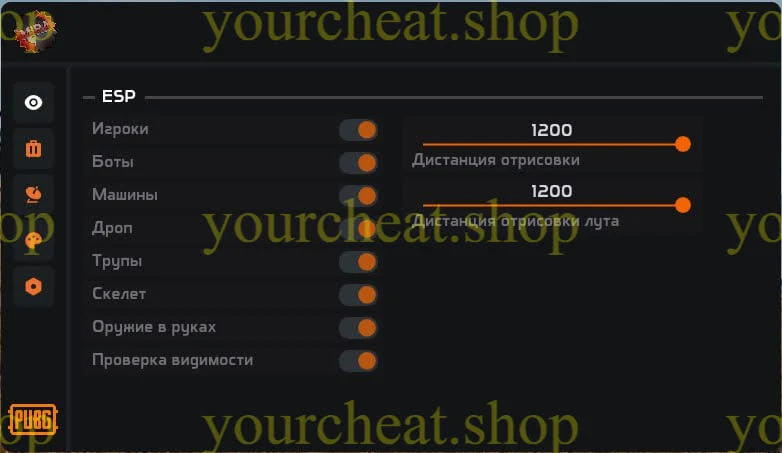
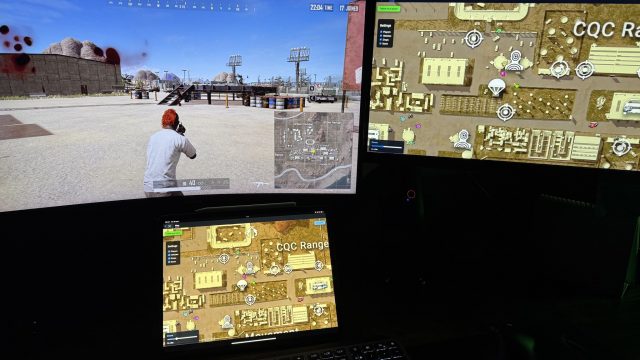
MIRA is your reliable assistant in PUBG! With this cheat, you’ll be able to see enemies, resources, and vehicles through walls thanks to the advanced ESP feature. MIRA is characterized by safety and ease of use, providing a comfortable game without risk.
How to install
Launch Instructions
After the purchase, you will be given a key. This key is linked to the hardware of the computer. In other words, it will only work where it was activated. The key must be activated in this field.:By the link
You can also read the instructions at this link.
What to do if the software does not work?:
To ensure the software works correctly, follow these steps:
1. Using DControl, disable Windows Defender + completely remove all other antiviruses. Necessarily!!!
2. Disable UAC. Necessarily!!!
3. Disable all items in the Exploit Protection tab [DEP, ASLR, CFG, etc.] In rare cases, for some cheats.
4. Disable Smart Screen. Necessarily!!!
5. Disable Firewall. Necessarily!!!
6. Install DirectX and Microsoft Visual C++
Microsoft Visual C++
DirectX
7. Disable kernel isolation. Necessarily!!!
8. Remove Faceit and Valorant [Vanguard] anti-cheat. [Do not remove Vanguard if the cheat is intended for the game Valorant]. Necessarily!!!
9. Faceit - [Open a command prompt as administrator and type [sc stop faceit] ]. Necessarily!!!
Vanguard - [Open a command prompt as administrator and type [sc delete vgc] + [sc delete vgk] ]. Necessarily!!!
11. Restart your computer. If you have uninstalled your antivirus, Vanguard or Faceit. Necessarily!!!
0.0
0 reviews
Для этой же игры
Write a review