Radar
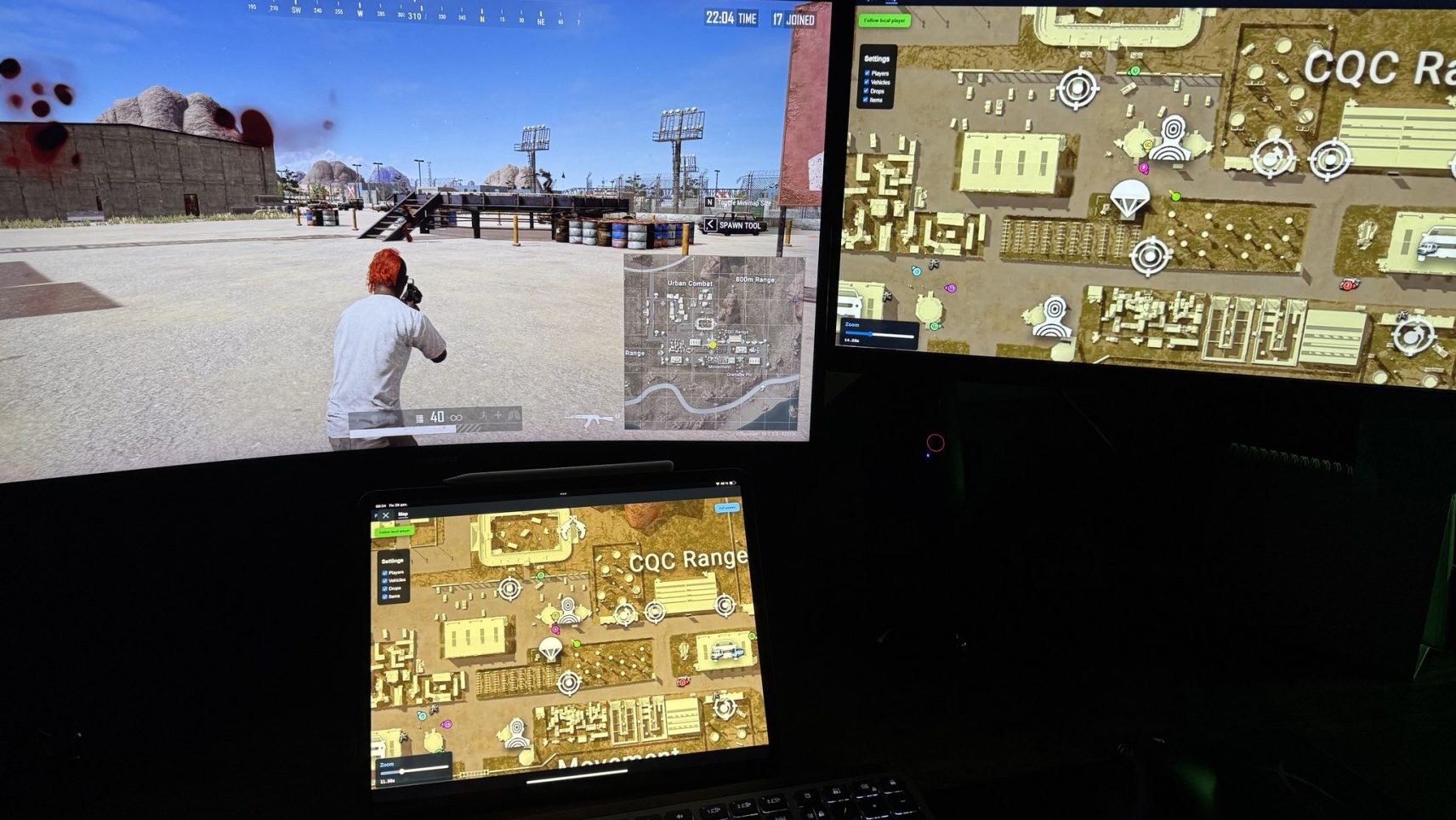
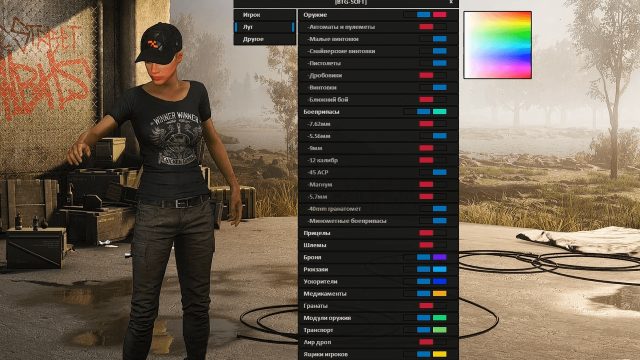
Radar for PUBG is a specialized solution for pure tactical superiority. The program displays only enemy players on a separate map or overlay – no extra information, no loot, no vehicles. See the direction of threats, distance and approximate number of opponents in real time. Silent Scan technology ensures data collection without directly interfering with the game client, guaranteeing complete invisibility to BattlEye and zero account risk. Maximum utility, minimum footprint.
How to install
IMPORTANT TO READ!
Before activating the key:
-
Install this: *link*
-
Read the instructions carefully
-
Restart your computer before launching the software (mandatory)
We remind you that using software is always a risk!
-
You purchase the software at your own risk.
-
Undetected status does not guarantee 100% protection against blocking (with any software, a ban is possible in any game).
-
If the update is in the game, wait for the software update.
-
NOT use on the main account.
-
Use based on your own risk.
DISABLE or DELETE MANDATORY
-
Remove antivirus
-
Disable SmartScreen
-
Disable Windows defender
-
Delete FaceIt and Vanguard
FaceIt is a standalone anti-cheat for CS: GO games
Vanguard is an anti-cheat for Valorant
Starting instructions:
-
Download the loader and place it anywhere (it is desirable to create a separate folder for it)
-
Run the software file as administrator.
-
After the loader update, run the new updated loader again.
-
Enter your key and press "Enter" (To insert key use right mouse button (RMB) in CMD loader )
-
Press "Yes" if you need clean traces
-
Press "Yes" if you need hwid spoofer
-
Loader will automatically close after successful loading
-
Launch the game.
-
The page will open automatically in your browser. If you accidentally close it, press Insert to open it again.
-
If you want to share the link, make sure you have copied the link that opened correctly, including the token (it is specified in the link itself, for example, link.com/session_id=jfsdohfhh).
Errors:
-
Loader close with no error:
- Install this: *link* -
you can see menu in the game, but you cannot interact with it
- Run the overlay as administrator according to the instructions above. -
Windows 10 "Make sure all antiviruses are disabled" error:
- Uninstall all third-party antiviruses
- Disable real-time protection
- Disable SmartScreen -
Windows 11 "Make sure all antiviruses are disabled" error:
- Download both files: *link*
- Run Turn_ON, agree to the changes in the registry, restart the PC.
- Then run Turn_OFF, agree to the changes in the registry, restart your computer.
- If this doesn't help, check that you have removed antivirus and disabled real-time protection. -
Other errors caused by loader:
- Send a screenshot of the error to support on the website (bottom right corner), download Anydesk and also send it to support chat. -
You can see the menu, but it is not clickable:
- Run Steam NOT as administrator
- Disable all third party overlays (leave only Nvidia or AMD depending on your video card) -
Menus disappear in game or there are menus but visual functions don't work:
- If there was a patch in the game, wait for a product update
- Check the integrity of the game files, but a full reinstall is best
- If none of the solutions worked for you, contact the support chat room -
The menu in the game is not clickable / does not open the first time:
- Start Steam WITHOUT admin rights (in case you play via Steam).
- Disable EA App overlay in the application settings (in case you play via EA App). -
AES instruction set is not supported:
- This error means the processor does not support the AES instruction set, so it cannot be fixed. Contact for refund. -
Please enable Intel VT-X in the BIOS:
- To fix this error, enter the BIOS and search for a feature named either "Intel virtualization technology" or "Intel VT-X" and enable it. -
Please enable AMD-V in BIOS:
- To fix this error, enter the BIOS and search for a feature named either "AMD-V" or "SVM mode" and enable it. -
Please disable secure boot in the BIOS:
- To fix this error, enter the BIOS and disable the secure boot feature. -
Unsupported firmware:
To fix this error, convert the disk containing the operating system to GPT format using the built-in Windows tool mbr2gpt or any disk management utility of choice. -
Secure boot keys are incorrect and need to be enrolled:
To fix this error, enter BIOS and enable Secure Boot, save the settings, make sure you have enabled it correctly by opening PowerShell and typing "Confirm-SecureBootUEFI", if the output is "True", you can reboot the computer, then enter BIOS and disable Secure Boot. -
VMX/SVM is not supported:
To fix this error, browse to "Control panel" -> "Programs and Features" -> "Turn Windows features on or off", and make sure that "Virtual machine platform" and "Hyper-V" are disabled. If the error still persists, open cmd as administrator and enter the following command without quotes "bcdedit /set hypervisorlaunchtype off" then press Enter and reboot the pc. -
Incorrect hwid
- Open cmd as administrator, enter these commands one by one
wmic diskdrive get Caption, SerialNumber
wmic baseboard get SerialNumber
if any of those commands failed with an error then something is wrong with your pc, try to reinstall Windows and check if the problem is gone. -
If you encounter any other problems, contact support on the website.
Write a review