Wh-Satano
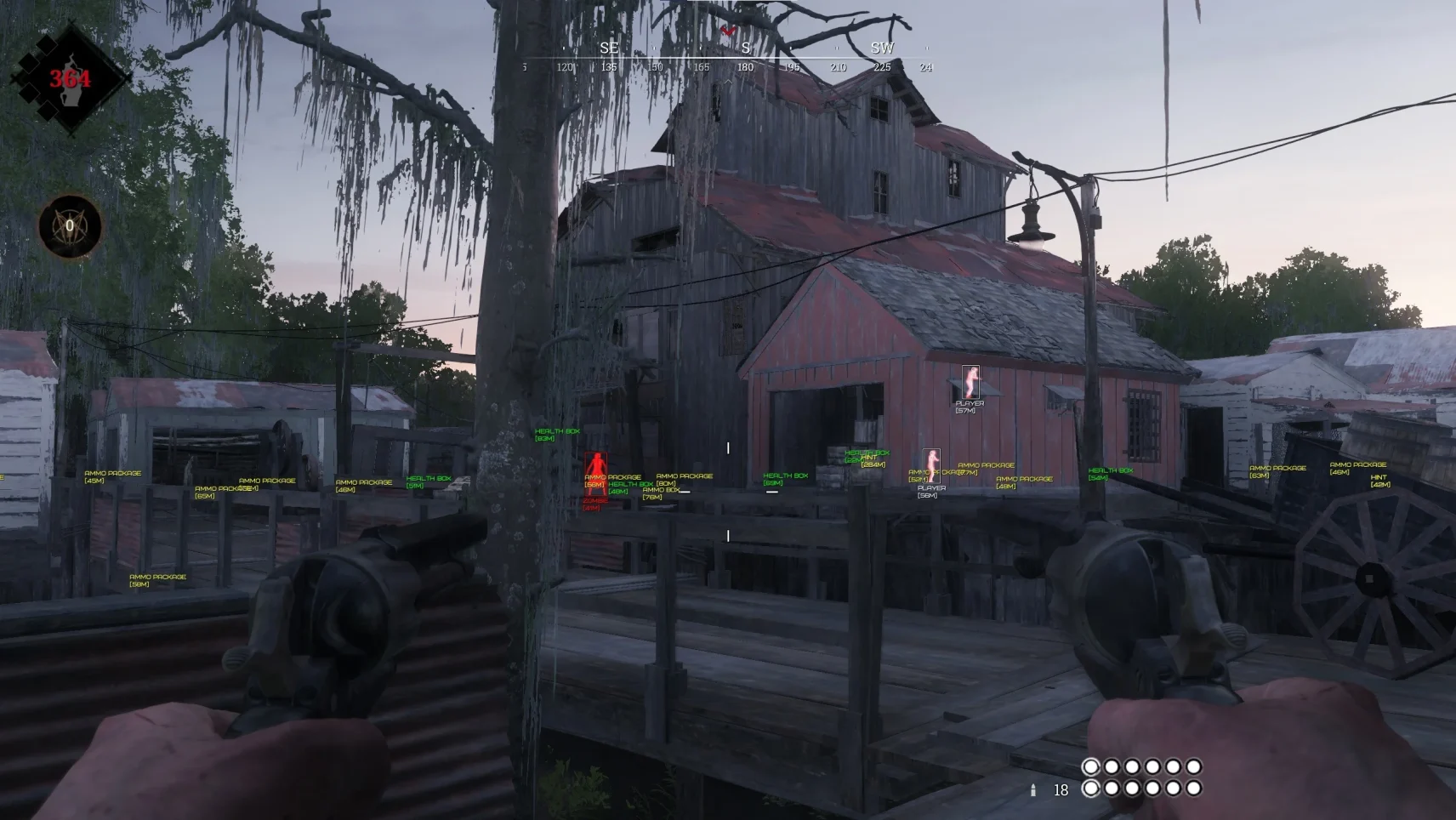
Wh-Satano is your digital hunting companion
This tool rethinks the approach to Hunt: Showdown, providing not just data, but complete tactical superiority. The system analyzes the game space through a secure external interface, eliminating direct interference with the game client.
How to install
- After payment you will receive a license key to activate the product.
- Before downloading and running the software, you must disable your antivirus. In addition, the game must be closed, otherwise it may lead to a ban in the game.
- Now download the cheat loader from this link.
- Run the downloaded file as administrator. Loading during the first run may take some time, you need to wait.
- After loading, the loader interface will appear in front of you. You need to click "Activation Key" and insert your key into the input line, and then click "Activate".
- Now in the list of available cheats on the left you need to select Hunt Showdown and click Load.
- The loader will display the message "Waiting for the game process", this means that you need to start the game.
- Launch the game and wait until the main menu is fully loaded. After that, minimize the game and click "I'm in the game menu" in the loader.
- The cheat has been successfully launched! A menu will appear in front of you. The key for opening/closing the software menu is Insert.
What to do if the software does not work?:
To ensure the software works correctly, follow these steps:
1. Using DControl, disable Windows Defender + completely remove all other antiviruses. Necessarily!!!
2. Disable UAC. Necessarily!!!
3. Disable all items in the Exploit Protection tab [DEP, ASLR, CFG, etc.] In rare cases, for some cheats.
4. Disable Smart Screen. Necessarily!!!
5. Disable Firewall. Necessarily!!!
6. Install DirectX and Microsoft Visual C++
Microsoft Visual C++
DirectX
7. Disable kernel isolation. Necessarily!!!
8. Remove Faceit and Valorant [Vanguard] anti-cheat. [Do not remove Vanguard if the cheat is intended for the game Valorant]. Necessarily!!!
9. Faceit - [Open a command prompt as administrator and type [sc stop faceit] ]. Necessarily!!!
Vanguard - [Open a command prompt as administrator and type [sc delete vgc] + [sc delete vgk] ]. Necessarily!!!
11. Restart your computer. If you have uninstalled your antivirus, Vanguard or Faceit. Necessarily!!!
Similar products
MASON
- 1 д
- 7 д
- 30 д
Write a review