UNICORE
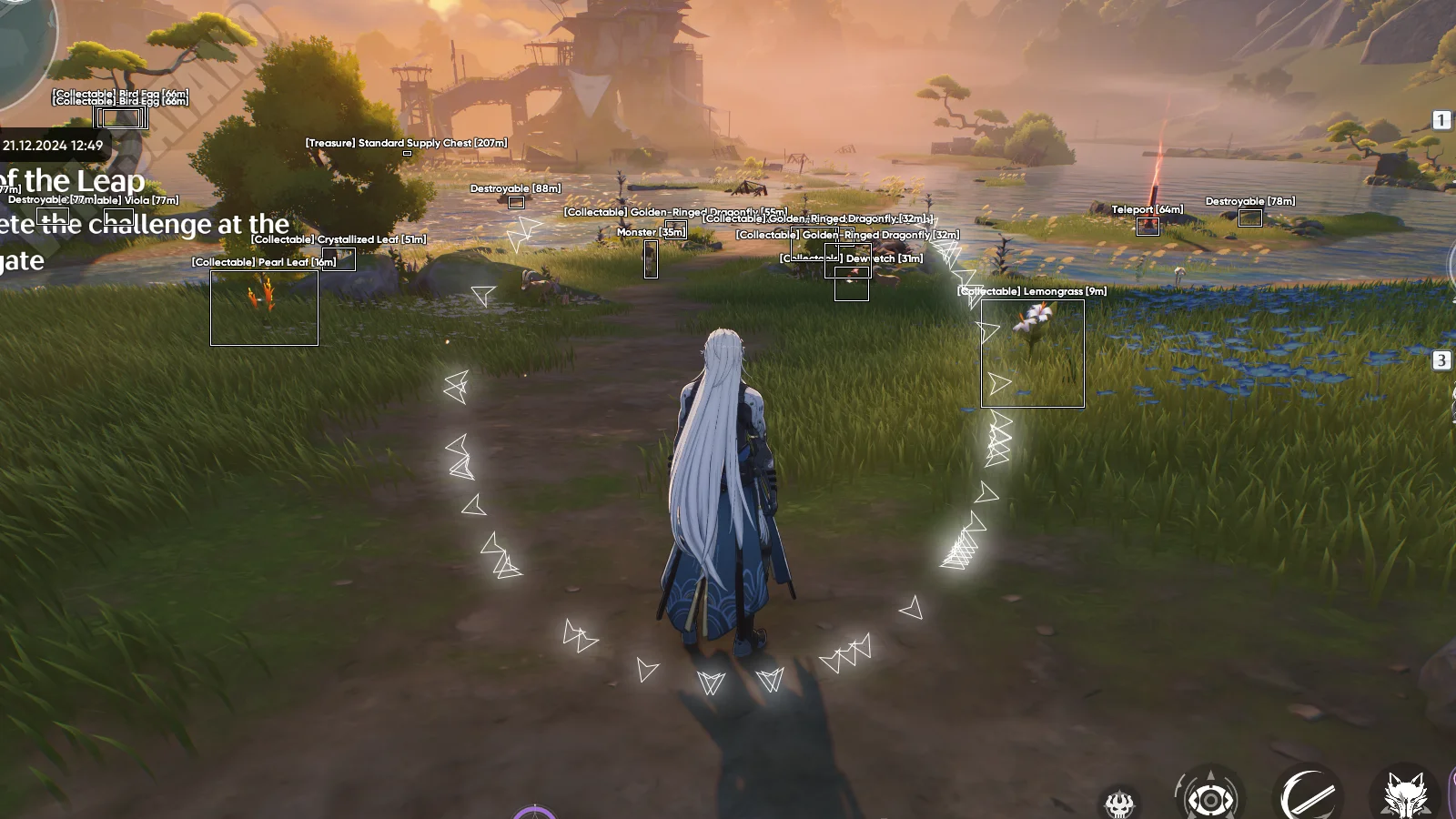
UNICORE for Wuthering Waves is a comprehensive solution that gives players complete control over gameplay. The cheat features ESP showing all key objects, smart auto-combat system and efficient resource farming tools. With unique protection system, UNICORE ensures safe usage without account risk.
How to install
- After successful payment for the order, you will receive a key to activate access to cheats.
- Prepare to download and launch the loader Link:
- Completely disable Windows Defender (Real-time protection). If you have other antiviruses installed on your PC, it is recommended to remove them, as they may prevent the software from launching correctly;
- We strongly recommend disabling Windows Defender through the Defender Control program, you can download it using this link. Password for the archive - sordum.
- You also need to do some minor manipulations with the game files:
- Open the folder with the game files (Wuthering Waves Game).
- Delete the following folder: WutheringWavesWuthering Waves GameEngineBinariesThirdPartyNVIDIAStreamline, the path may also look like this: Wuthering WavesWuthering Waves GameEnginePluginsRuntimeNvidiaStreamline
- Download the cheat loader from the link you received with the key and the link to the instructions.
- Run the loader, paste your key into the "Key" field and click "Login".
- You will see information about the cheat status and your subscription period.
- Click the "Start Load" button.
- Run the game. The game must be launched in DirectX 11 mode. Check the corresponding box.
- After the game is fully loaded, press F2.
- The Unicore cheat for Wuthering Waves has been successfully launched! The cheat menu is opened and closed by pressing the Insert key.
What to do if the software does not work?:
To ensure the software works correctly, follow these steps:
1. Using DControl, disable Windows Defender + completely remove all other antiviruses. Necessarily!!!
2. Disable UAC. Necessarily!!!
3. Disable all items in the Exploit Protection tab [DEP, ASLR, CFG, etc.] In rare cases, for some cheats.
4. Disable Smart Screen. Necessarily!!!
5. Disable Firewall. Necessarily!!!
6. Install DirectX and Microsoft Visual C++
Microsoft Visual C++
DirectX
7. Disable kernel isolation. Necessarily!!!
8. Remove Faceit and Valorant [Vanguard] anti-cheat. [Do not remove Vanguard if the cheat is intended for the game Valorant]. Necessarily!!!
9. Faceit - [Open a command prompt as administrator and type [sc stop faceit] ]. Necessarily!!!
Vanguard - [Open a command prompt as administrator and type [sc delete vgc] + [sc delete vgk] ]. Necessarily!!!
11. Restart your computer. If you have uninstalled your antivirus, Vanguard or Faceit. Necessarily!!!
Write a review