Stealth lite
Stealth Lite is Your Reliable Companion in the World of Rust
In the ruthless world of Rust, where every resource is worth its weight in gold, Stealth Lite becomes your loyal ally. This is an optimized solution for those who appreciate:
Stability — minimum load on the system
Security — Advanced detection protection
Convenience — intuitive interface
How to install
Download and run the downloader, it usually has a .com or .exe extension
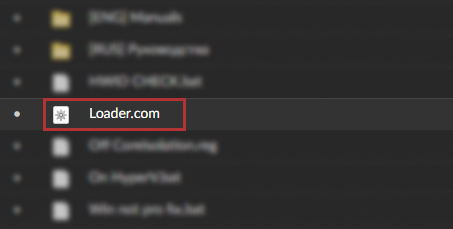
This image is an example and may vary!
the boot loader has administrator privilege by standard
If after trying to open the bootloader you get an error 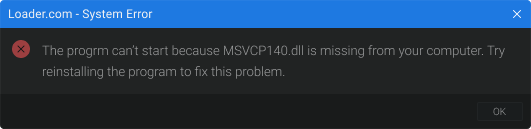 or
or 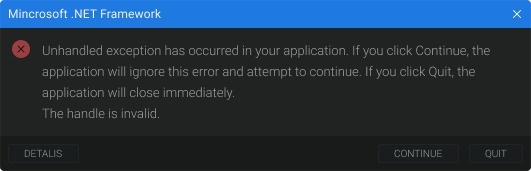 solution can be found here
After launching the downloader, enter your key and click activate
If you get an error after clicking activate, you can find the solution here here
Once you have logged into the bootloader, click the run button
If you get an error after clicking the start button, you can find the solution here
You must not interrupt the startup process from the moment you click to the desktop, otherwise your boot partition may break and you will not be able to log into windows! If for some reason your boot partition has broken, you can find a solution here here
After startup and countdown, the system will automatically reboot, you should see the product logo instead of the standard logo of your motherboard
Once you're loaded on your desktop, go into the game.
After launching the game, you should have the product menu up within a minute!
If you don't get the product menu after launching the game, you can find the solution here
Hotkeys
INSERT (INS) - by standard the bind is responsible for opening and closing the menu, it can be changed to any convenient one End - By standard, the bind is responsible for unloading the product, e.g. to pass cheat check. The menu can only be returned by restarting!
End - By standard, the bind is responsible for unloading the product, e.g. to pass cheat check. The menu can only be returned by restarting!
What to do if the software does not work?:
To ensure the software works correctly, follow these steps:
1. Using DControl, disable Windows Defender + completely remove all other antiviruses. Necessarily!!!
2. Disable UAC. Necessarily!!!
3. Disable all items in the Exploit Protection tab [DEP, ASLR, CFG, etc.] In rare cases, for some cheats.
4. Disable Smart Screen. Necessarily!!!
5. Disable Firewall. Necessarily!!!
6. Install DirectX and Microsoft Visual C++
Microsoft Visual C++
DirectX
7. Disable kernel isolation. Necessarily!!!
8. Remove Faceit and Valorant [Vanguard] anti-cheat. [Do not remove Vanguard if the cheat is intended for the game Valorant]. Necessarily!!!
9. Faceit - [Open a command prompt as administrator and type [sc stop faceit] ]. Necessarily!!!
Vanguard - [Open a command prompt as administrator and type [sc delete vgc] + [sc delete vgk] ]. Necessarily!!!
11. Restart your computer. If you have uninstalled your antivirus, Vanguard or Faceit. Necessarily!!!
Write a review