MACROS
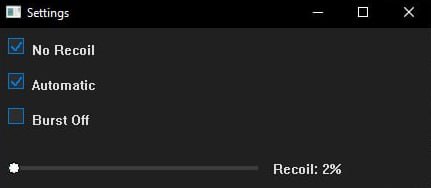
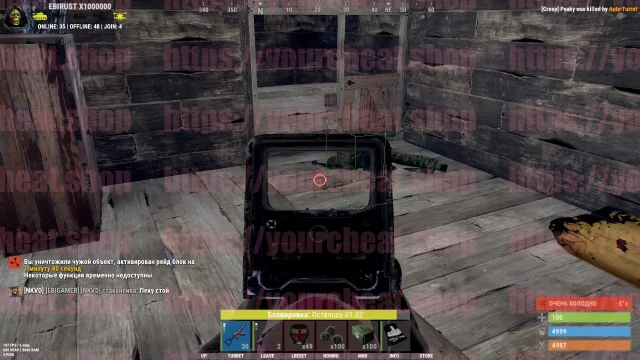
With the tightening of anti-cheats in Rust, our anti-recoil macros are becoming an ideal solution – they provide a noticeable advantage in recoil control for any weapon with minimal risk of blocking, working on all mouse models.
How to install
STEP #1: PREPARATION
Step 1: Downloading the Loader & Required Components
-
Download the component from this link: [Link]
-
Place the component in
C:/windows -
Download the loader from this link: [Link]
-
Enter your provided key in the loader window.
-
Press Enter.
Step 2: Disabling Windows Defender
If you see the error "ERROR: CLOSE 'WdFilter.sys' DRIVER" when launching the loader:
-
Disable Windows Defender using this tool: [Link]
-
Install and run Defender Control.
-
(Before using the tool, disable all checkboxes in "Virus & Threat Protection" settings.)
-
-
Fully disable Windows Defender using the tool (simple deactivation via Windows settings is not enough).
Step 3: Removing FaceIt AC, GameGuard & Other Anti-Cheats/Anti-Viruses
Uninstall anything that may interfere with the cheat’s operation.
VIDEO GUIDE:
STEP #2: LAUNCHING THE CHEAT
Step 1: Running the Loader
Run the loader as Administrator.
Step 2: Entering the Key
Enter your key in the loader window and press Enter.
Step 3: Waiting for Success Message
Wait until the menu appears.
Step 4: Launching the Game
Open the game and select a server.
TROUBLESHOOTING COMMON ISSUES
Launcher Closes Without Any Error After Entering the Key
-
Open the Prefetch folder and delete all its contents.
ERROR: DRIVER FAILED
-
Disable antiviruses or anti-cheats like FaceIt, Riot Vanguard, GameGuard.
Synchronize Time in Windows
-
Open Windows Settings (press
Win + Ior via the Start menu). -
Go to Time & Language.
-
Under "Clock Synchronization", click "Sync now".
Write a review