MASON
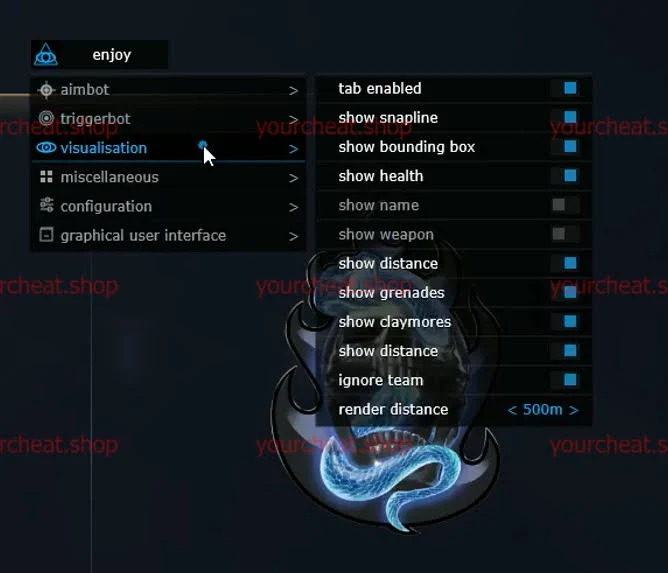
MASON is a private software for Warface, created for players who strive for maximum results. An aimbot with high accuracy, ESP for displaying enemies, software provides stable operation and reliable protection against anti-cheat. Buy MASON for Warface and become the top 1 on the battlefield today!
How to install
- Disable “Windows Defender”, remove any installed antivirus, because simply disabling it will not be enough;
- Remove third-party anti-cheats: Faceit, Riot Vanguard (Uninstallation MUST be performed through the Revo Uninstaller program, after uninstallation, restart the computer);
- In the game launcher, you need to “Disable” the version in development and “Disable” vertical synchronization;
- Disable Windows test mode (if enabled).
* Additional requirements for launch, only for cheats: EFT FULL (Escape from Tarkov), Warface, Unturned, Arma 3, PRIVATE EAC:
- Disable Secure Boot;
- Enable VT-x / VT-d (Virtualization);
- Enable Hyper-V.
- Download the loader from the link: LINK, using your key, which you received after payment;
- Run the downloaded file as administrator, in the loader window that opens, select your game, click on it, then click the “Run” button;
- Wait for the loader to close, if the injection is successful, the loader will display a message with a “check mark” and close “only for cheats: EFT FULL, Warface, Unturned, Arma 3”, after closing the loader, there will be an information window asking you to reboot the PC, click the “Yes” button and then reboot the PC, after turning on the PC, run the loader again as administrator, select your game, click the “Run” button, wait for the loader to close, then run the game;
- After the game has fully loaded to the main menu, press the “HOME” key to call up the cheat menu.
* Instructions for saving custom cheat settings and their subsequent loading:
- After successfully launching the cheat, configure it in the main menu of the game or directly in the mat;
- Go to the cheat tab “CONFIGURATION”, and click on “Save config to clipboard”;
- Minimize the game, create an empty “notepad” file in any convenient place on your desktop or local disk, then open it and right-click in the opened notepad and select “paste”, you will have random symbols and letters, close the text file and save the changes;
- Return to the game, play;
- On subsequent launches, launch the cheat and the game in accordance with its instructions, then minimize the game, open the previously created text file, press the “CTRL + A” key combination on the English layout, then click on the selected text, right-click and select “copy”;
- Return to the game, go to the cheat tab “CONFIGURATION” and click on “Load config from clipboard”, this will load your previously saved settings.
The cheat doesn't work
- Visit our special page, where we have collected all known errors in the work of the loader, cheat and ways to solve them: LINK;
1. Using DControl, disable Windows Defender + completely remove all other antiviruses. Necessarily!!!
2. Disable UAC. Necessarily!!!
3. Disable all items in the Exploit Protection tab [DEP, ASLR, CFG, etc.] In rare cases, for some cheats.
4. Disable Smart Screen. Necessarily!!!
5. Disable Firewall. Necessarily!!!
6. Install DirectX and Microsoft Visual C++
Microsoft Visual C++
DirectX
7. Disable kernel isolation. Necessarily!!!
8. Remove Faceit and Valorant [Vanguard] anti-cheat. [Do not remove Vanguard if the cheat is intended for the game Valorant]. Necessarily!!!
9. Faceit - [Open a command prompt as administrator and type [sc stop faceit] ]. Necessarily!!!
Vanguard - [Open a command prompt as administrator and type [sc delete vgc] + [sc delete vgk] ]. Necessarily!!!
11. Restart your computer. If you have uninstalled your antivirus, Vanguard or Faceit. Necessarily!!!
Write a review