Fecurity
What you get
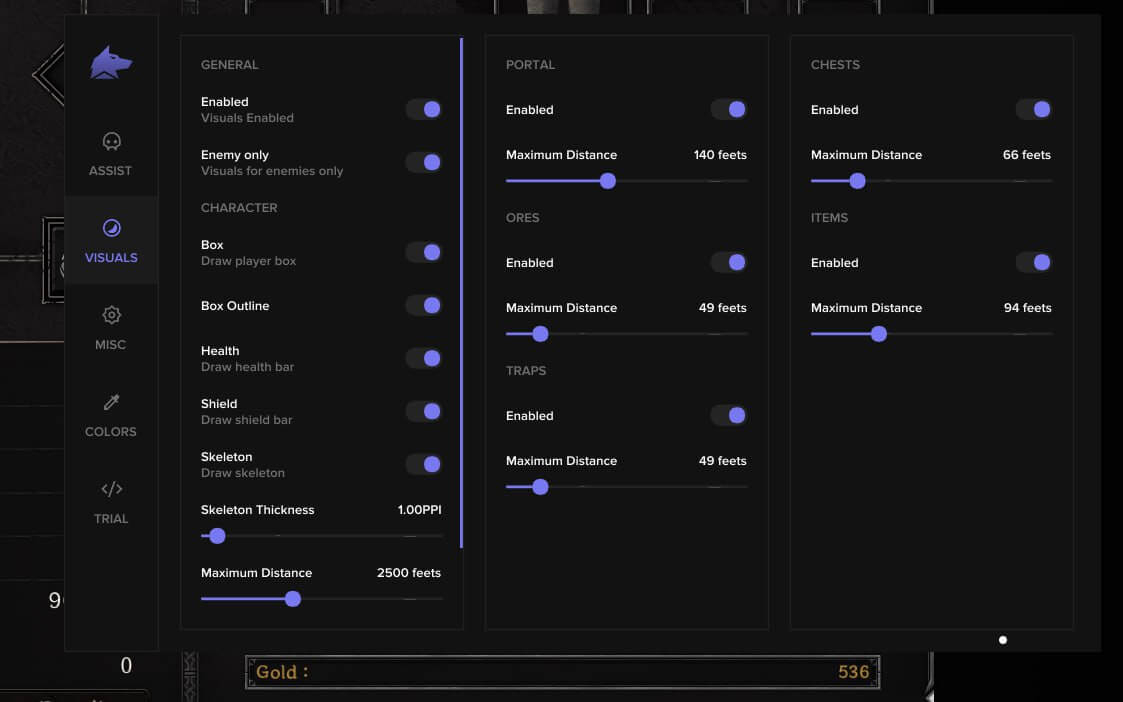
- Контур по костям (Skeleton) и рамка (Box) на игроках с дистанцией в метрах
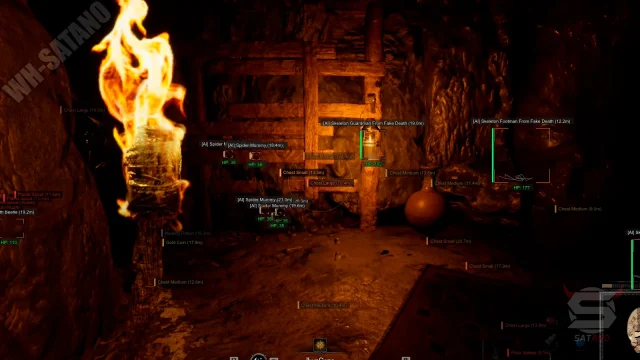
- Отметки монстров отдельным цветом, включая Cave Troll и Ghost King
- Синие порталы вниз и красные на выход, видимые сквозь перекрытия
- Жилы руды на стенах подземелья, рубисильвер отдельным цветом
- Напольные шипы и огневые струи в коридорах и залах
- Сундуки, бочки и саркофаги с подписью типа и расстоянием
- Предметы на полу с цветом по редкости
- Фильтр предметов по редкости
- Visible Check: смена цвета метки, когда цель за геометрией
- Max Distance: обрезка отрисовки по дальности
- Отрисовка в Goblin Caves, Crypts и Ruins
- Аимбота в сборке нет
An innovative system that turns your underground forays into predictable success. Unlike primitive cheats, Fecurity works through network traffic analysis, providing clean game data without client modification.
How to install
How to launch cheat
First steps
Make sure everything is correct
Before launching the cheat make sure that you have disabled / enabled every required option in the bios.
List of the options that you need to check:
- Is secure boot disabled or no, if it isnt then guide on how to disable it is placed here
- Enable virtualization, guide is placed here
- Is your Boot Mode UEFI or no, if it isnt then here is a guide on how to change it.
After you made sure that everything is right, proceed to do next steps.
Reboot, launch
The first launch of the loader you can download it from the link
On the first launch of the cheat, a window might pop up, asking you to enable virtualization, if you made sure that it is enabled in the bios, then proceed to click cancel.
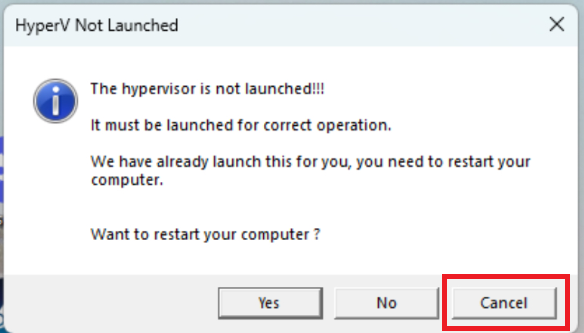
Now enter the key and wait for automatical reboot of the pc.
If you are using the spoofer then after reboot please wait 30 seconds before launching the game.
Software have reinject system, so you can just open the game again after you closed it, and it will work.
What to do if the software does not work?:
To ensure the software works correctly, follow these steps:
1. Using DControl, disable Windows Defender + completely remove all other antiviruses. Necessarily!!!
2. Disable UAC. Necessarily!!!
3. Disable all items in the Exploit Protection tab [DEP, ASLR, CFG, etc.] In rare cases, for some cheats.
4. Disable Smart Screen. Necessarily!!!
5. Disable Firewall. Necessarily!!!
6. Install DirectX and Microsoft Visual C++
Microsoft Visual C++
DirectX
7. Disable kernel isolation. Necessarily!!!
8. Remove Faceit and Valorant [Vanguard] anti-cheat. [Do not remove Vanguard if the cheat is intended for the game Valorant]. Necessarily!!!
9. Faceit - [Open a command prompt as administrator and type [sc stop faceit] ]. Necessarily!!!
Vanguard - [Open a command prompt as administrator and type [sc delete vgc] + [sc delete vgk] ]. Necessarily!!!
11. Restart your computer. If you have uninstalled your antivirus, Vanguard or Faceit. Necessarily!!!
Similar products
Arcane
- 1 д
- 7 д
- 30 д
Write a review