Evicted macros
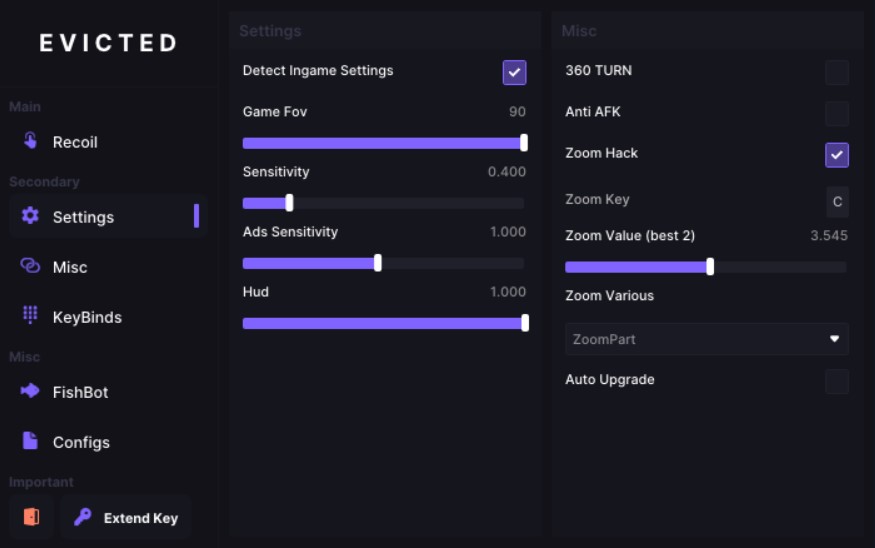
Evicted Macros — Macros for Rust with Intelligent Automation
Evicted Macros are smart and secure macros for Rust that automate routine actions, saving you time and increasing efficiency. No cheats, just legal automation without the risk of being banned.
→ Absolute legality: using input emulation technology, we guarantee 100% security of your account
→ Intelligent adaptation: the system analyzes your playing style and adapts to it
→ Stealth: works as a background program without interfering with gameplay
How to install
📗 Startup & Installation Guide
Evicted Rust Script — User-Friendly Installation Guide
❗ Important: Make sure Steam is completely closed before starting the installation!
Step 1 — Download Required Files
Download both necessary files:
Step 2 — Install Drivers
-
Open the downloaded Components folder.
-
Navigate to the
[NEED TO INSTALL]folder. -
Install both drivers inside.
Step 3 — Run Components
-
Double-click
Components.exe. -
Wait until the download completes.
-
✅ You should see a
Success
Step 4 — Set Up Loader
-
Insert your Flash Drive into the PC.
💡 Don't have a physical USB? Use the provided Virtual USB Drive.
-
Copy
Loader.exeinto your Flash Drive. (It will automatically generate a random name for the file.)
Step 5 — Final Setup
-
After reboot, run the Loader again.
-
A new
.exefile with a random name will be created. -
Run the new file and enter your Activation Key.
When the Evicted menu appears:
-
Click
OK— The Loader will close automatically.
Step 6 — Ready to Play!
✅ Safely eject your Flash Drive.
Launch your game and enjoy!
🔧 Recommended Script Customization
-
Go to
Settings(on the second page). -
Enable:
-
Detect ingame settings -
AutoDetect(found underMisctab)
-
ℹ️ If nothing responds — your game settings were automatically detected.
For further help — visit our AutoDetect.
🎮 Gameplay Tip — Optimal Spray Control
🟡 Always crouch while shooting. This maximizes accuracy and controls minor spray variations that the script cannot predict.
Other gameplay-focused adjustments for Rust are available
Write a review