Bleak
Bleak for Arc Raiders – Software Features
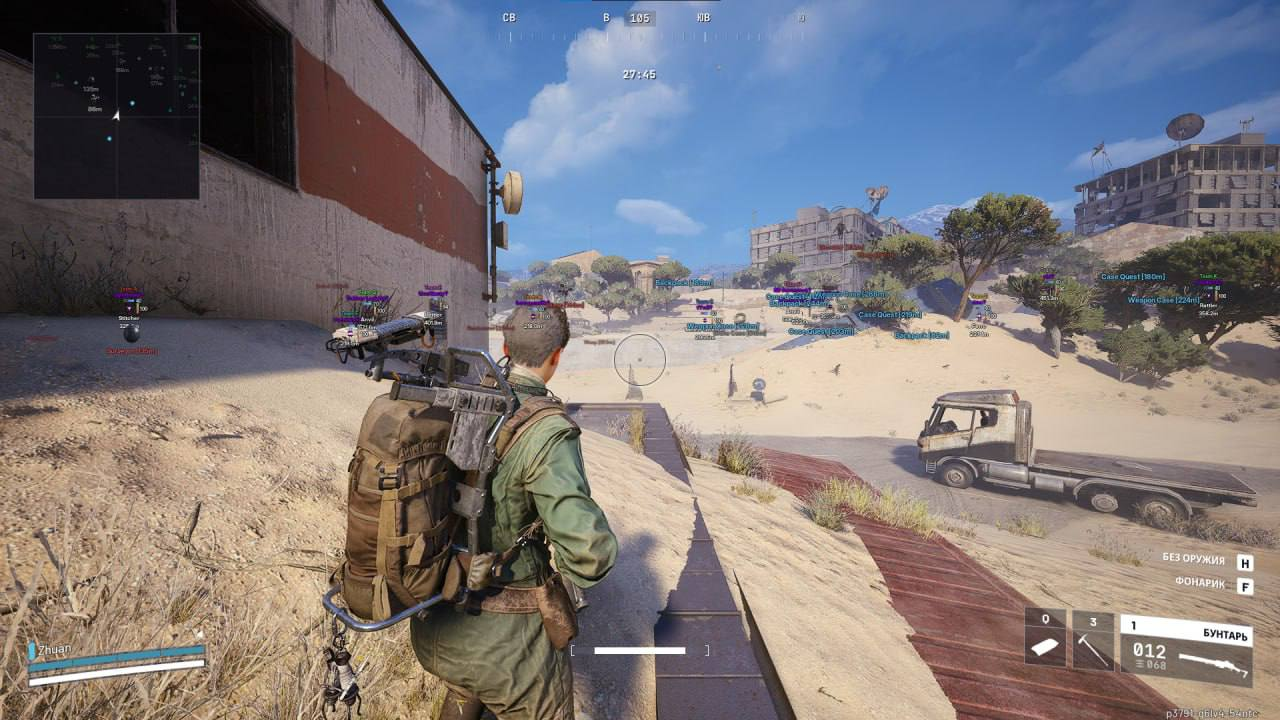
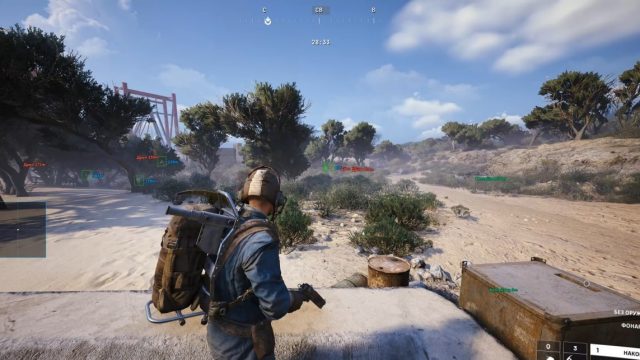
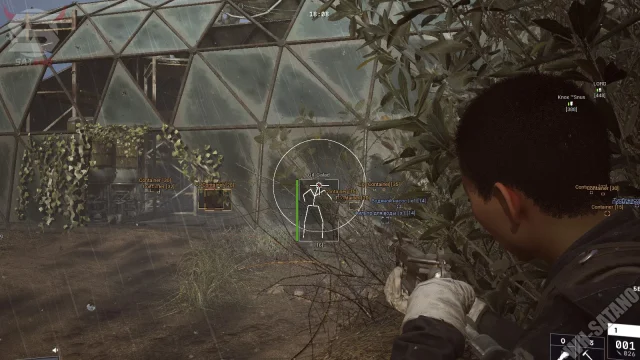
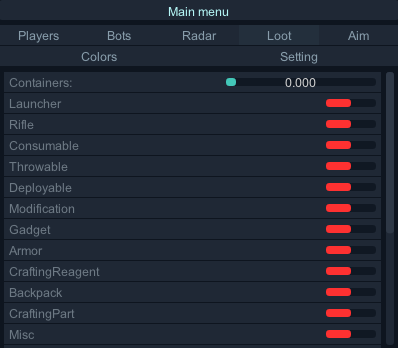
In Arc Raiders, there is an armed clash with mechanical opponents. Participants find useful items on the map. To win, you need to complete certain missions. But the robots are firing from different directions. Players often make mistakes due to the high speed of events. With Bleak, the coordinates of the enemies are displayed on the screen. The program shows the location of the equipment. Safe positions are indicated on the display. This is how the user controls the situation on the playing field.
Bleak is a private software package for Arc Raiders. The code is written specifically to preserve the anonymity of the account. The interface looks simple and contains only the necessary data. Information does not block the view during combat. Modern technical algorithms are used to protect against detection. The product functions in conjunction with the EAC anti-cheat. Developers make changes to the system on a regular basis. A small number of people have access to the software. For this reason, the software works smoothly.
How to install
Overlay: Install STEELSERIES - Link
Install Loader - Link
PC preparation measures:
- Disable the secure boot status in the BIOS (Secure Boot)
- Disable the Trusted Platform Module in the BIOS (TPM)
- Disable Windows Protection (Windows Defender)
- Remove antiviruses and anti-cheats (For example: FaceIT, Vanguard, 360, Avast)
2. Launch the loader from the Administrator, insert the key, and click Inject.
At this point, your PC will be rebooted.
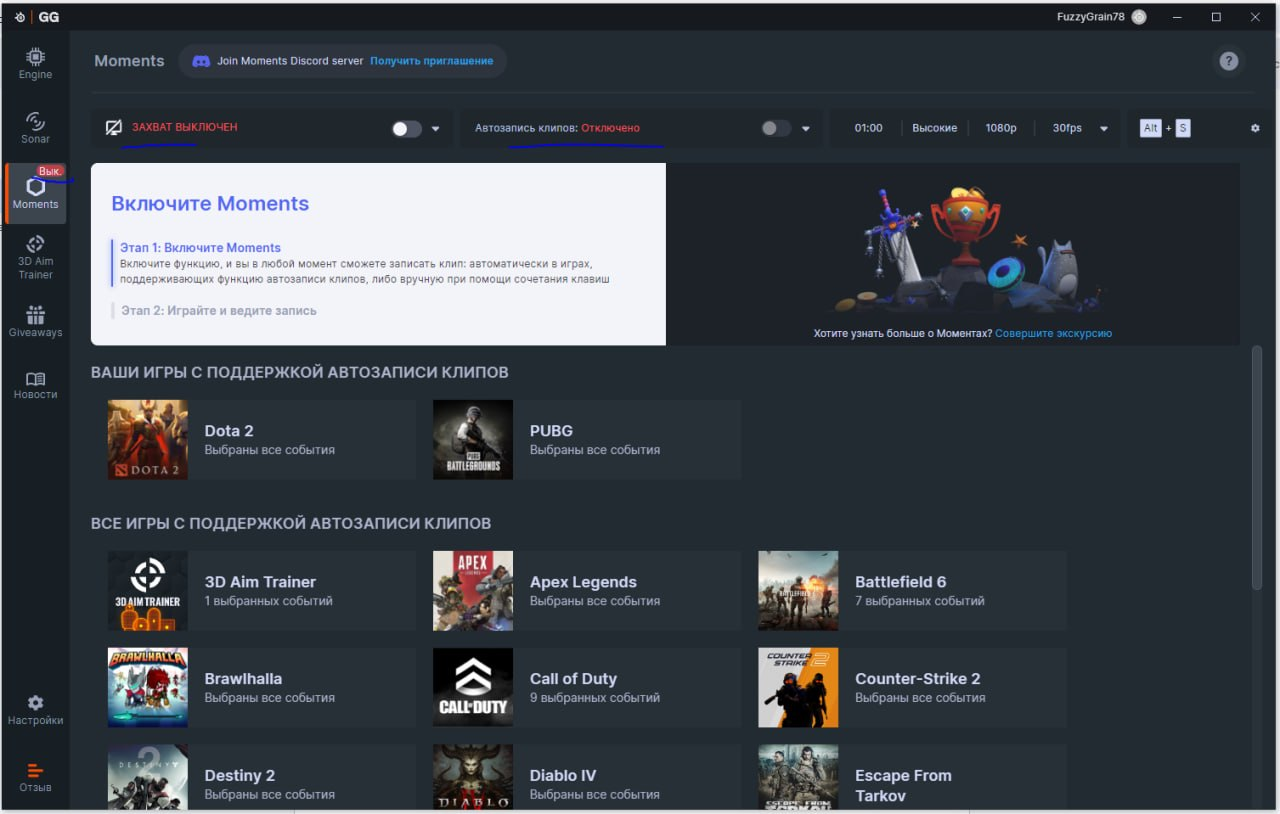
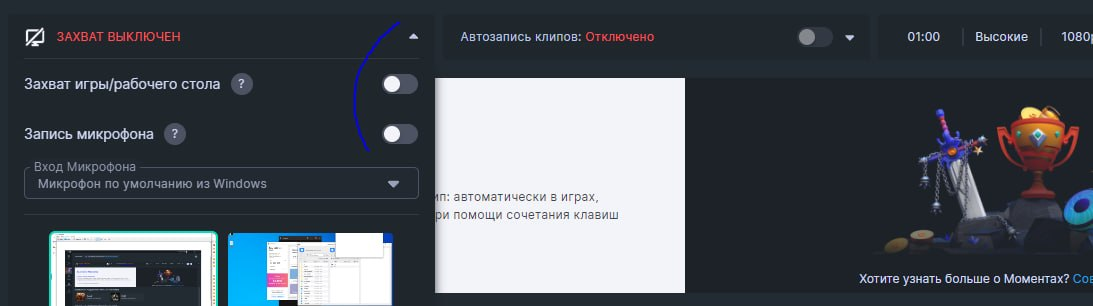
3. After restarting, run SteelSeries from the Administrator, make the same settings as shown in the photos below.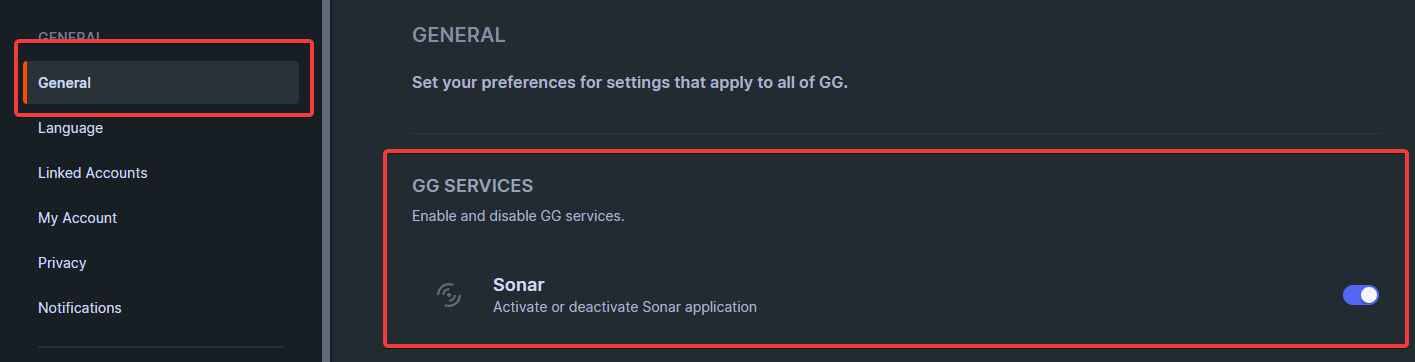
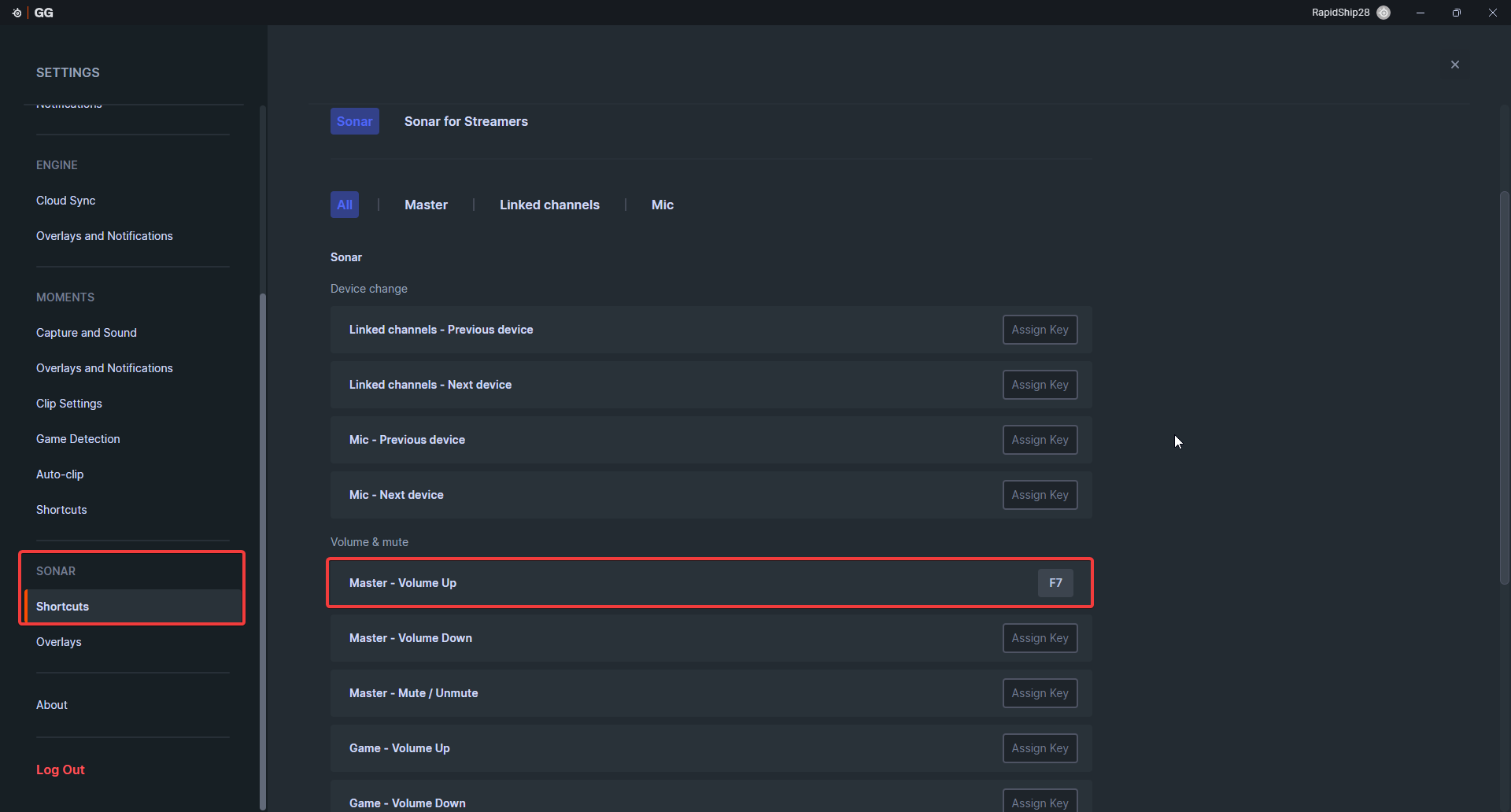
4. Turn on the Volume Up function by pressing the F7 key
5. Disable “Moments” in SteelSeries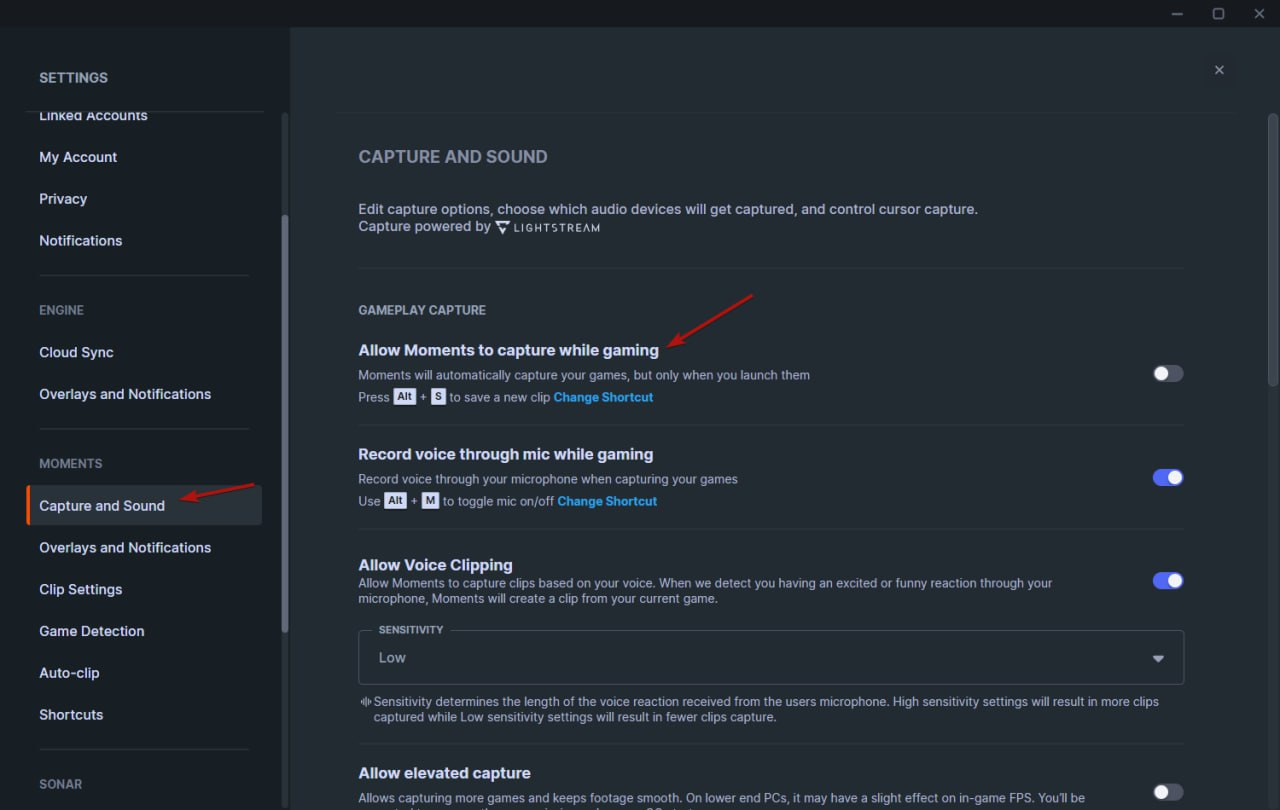
5.1 Be sure, that these parameters are disabled on the main screen of Steelseries
6. Now press the F7 bind to activate the overlay
7. Run the loader again on behalf of the Administrator, enter the key and click Inject
8. Game will open auto. Press F7 in the main menu again.
Open/Close the menu - Key: Insert

Write a review