Unicore FiveM
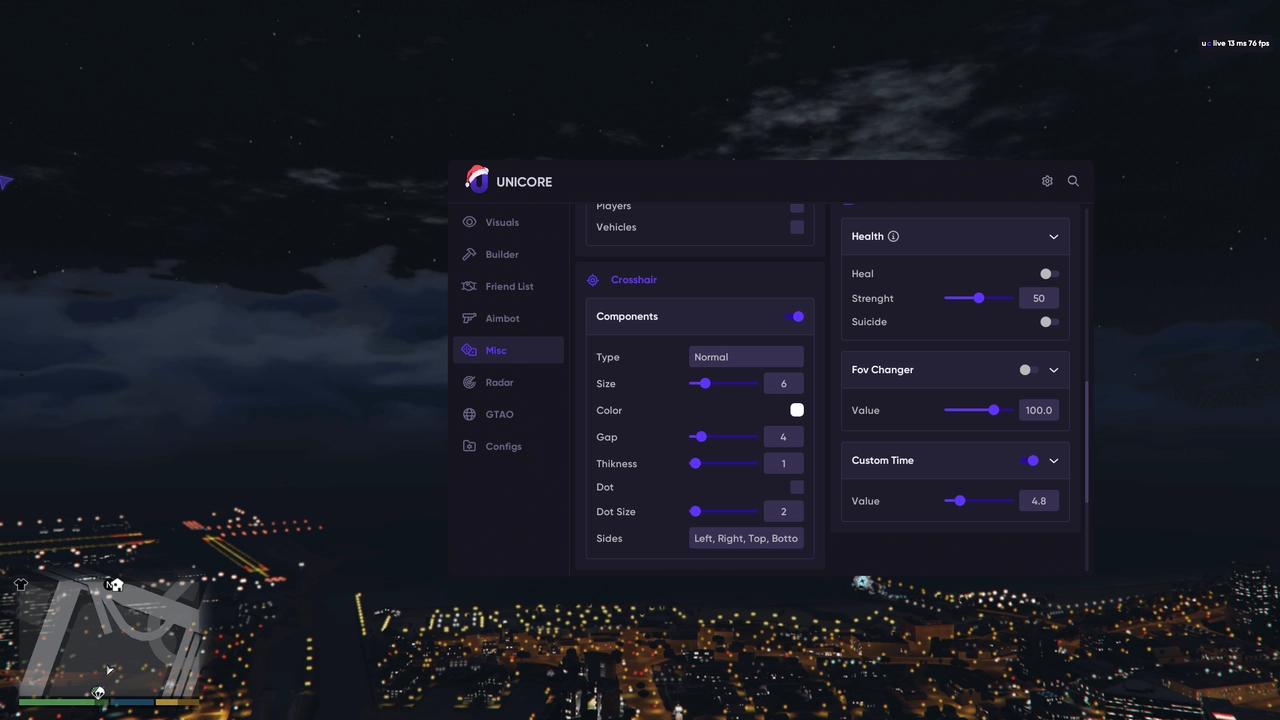
Unicore FiveM is an exclusive set of tools for complete dominance in the GTA 5 multiplayer universe. Our product is specifically designed for FiveM RP servers.
This is not just a cheat, but a professional tool for creating a unique RP experience. Thanks to daily updates and a multi-level protection system, you get stable operation without the risk of account blocking.
How to install
- Download the loader to run the cheat using the link you received along with the key and the link to this page.
- Run the file you just downloaded as an administrator.
- Paste your key in the "Key" field and click "Login".
- The cheat loader window will open. Here you can see information about the status of the software and the duration of your subscription.
- Click on the "Start Load" button to start the cheat injection.
- Launch the game and join the server.
- After fully loaded and authorized on the server, press F2. The injection is accompanied by a sound signal (2 beeps).
- Software launched successfully. Show/hide menu - key F9.
Press "DEL" / "F5" to unload the product during server administrator checks.
Recommendations for using
- If possible, use the game from the Rockstar Games Social Club launcher, because it is not tied to other platforms and it will be easier for you to switch accounts. Also, accounts with the game in this launcher are usually the cheapest.
- It is recommended to disable Xbox Live services. In some cases, this interferes with the operation of the software.
- When playing GTA5 with a cheat, close all unused platforms and applications (Steam, Skype, Epic Games, GOG, etc.).
- If you have a flash drive, then run the cheat loader from the flash drive, so it will be easier to pass admin checks on the servers.
- On some servers, you may get banned for using some APIs from Executor. We advise you not to use APIs that call various events.
What to do if the software does not work?:
To ensure the software works correctly, follow these steps:
1. Using DControl, disable Windows Defender + completely remove all other antiviruses. Necessarily!!!
2. Disable UAC. Necessarily!!!
3. Disable all items in the Exploit Protection tab [DEP, ASLR, CFG, etc.] In rare cases, for some cheats.
4. Disable Smart Screen. Necessarily!!!
5. Disable Firewall. Necessarily!!!
6. Install DirectX and Microsoft Visual C++
Microsoft Visual C++
DirectX
7. Disable kernel isolation. Necessarily!!!
8. Remove Faceit and Valorant [Vanguard] anti-cheat. [Do not remove Vanguard if the cheat is intended for the game Valorant]. Necessarily!!!
9. Faceit - [Open a command prompt as administrator and type [sc stop faceit] ]. Necessarily!!!
Vanguard - [Open a command prompt as administrator and type [sc delete vgc] + [sc delete vgk] ]. Necessarily!!!
11. Restart your computer. If you have uninstalled your antivirus, Vanguard or Faceit. Necessarily!!!
Similar products
MASON GTA5 RP
- 1 д
- 7 д
- 30 д
Write a review