MEMEZ
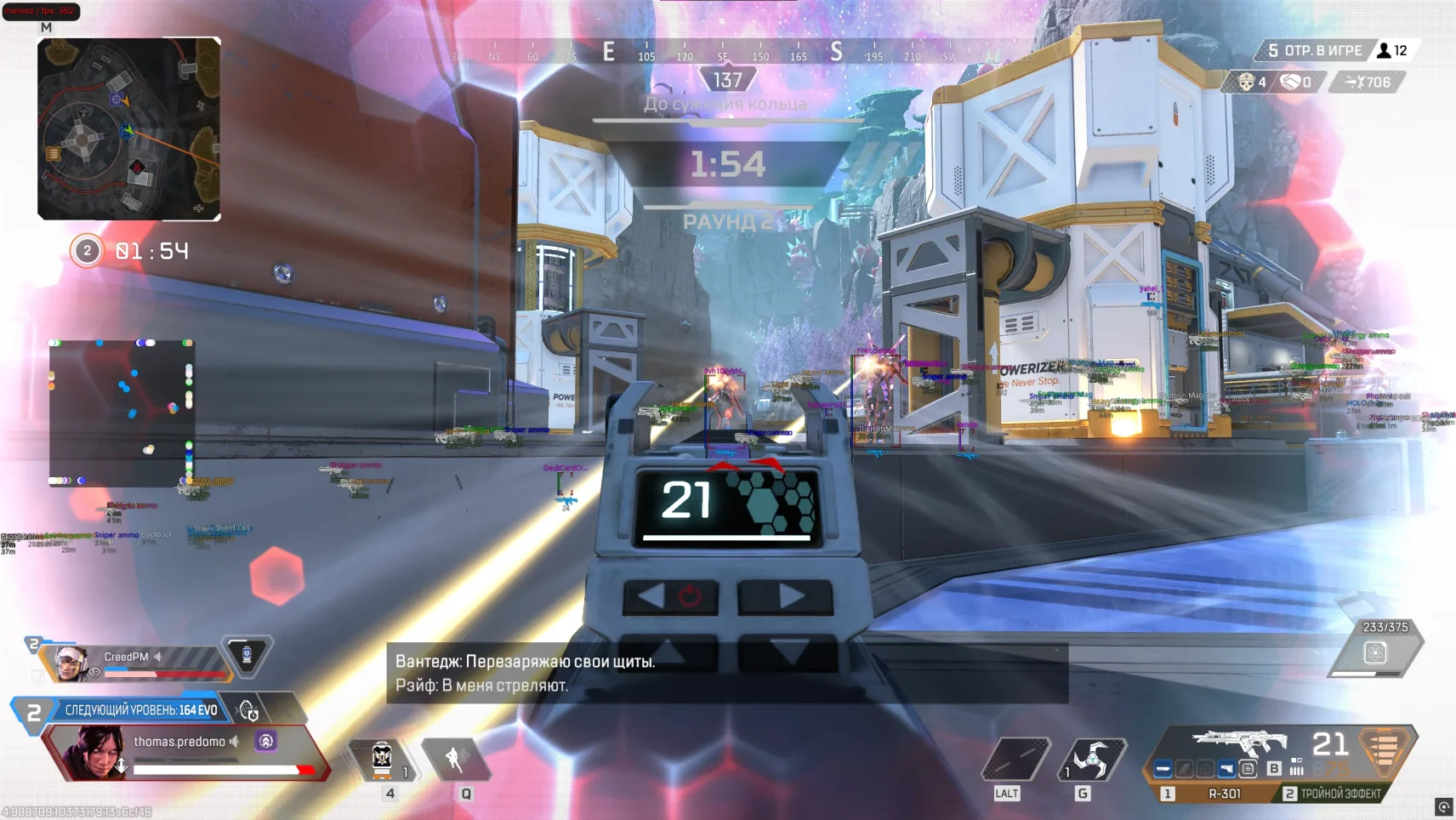
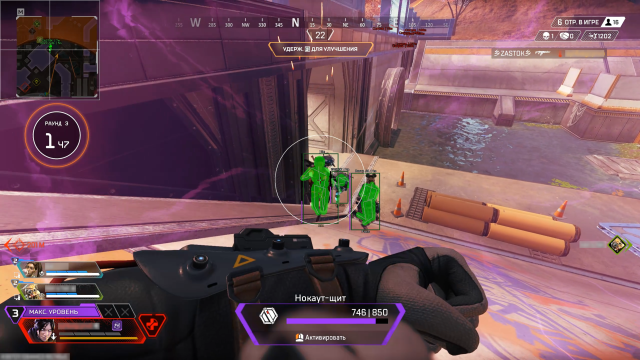
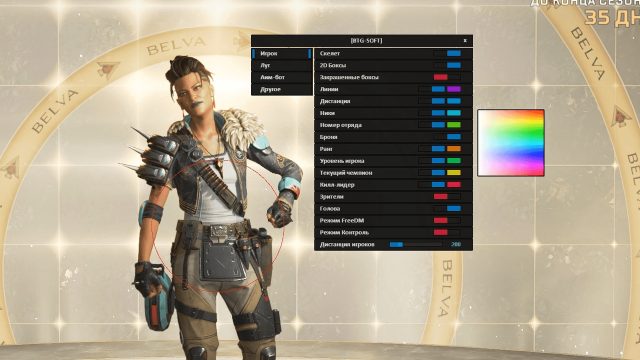
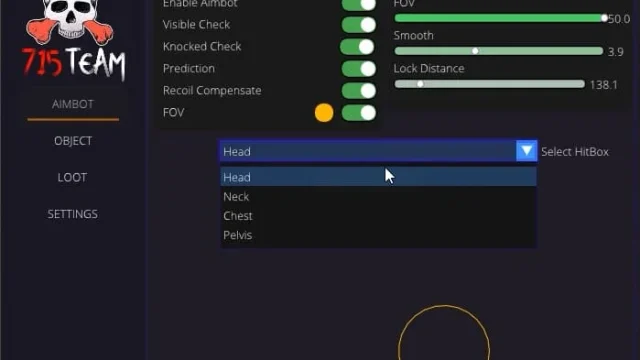
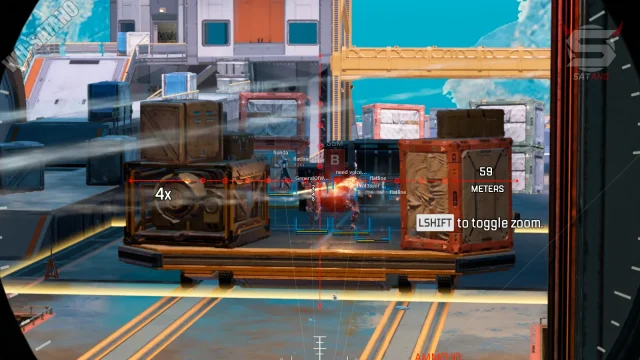
MEMEZ is a modern cheat for Apex Legends, created for those who strive for stable wins without sacrificing account security. Unlike primitive solutions, MEMEZ combines advanced game mechanics with a multi-level detection protection system. The functionality is based on an intelligent aimbot with an adaptive aiming system: it takes into account the speed of the target, the distance to the enemy and the ballistics of the projectiles, allowing you to choose the degree of intervention — from delicate correction to instant capture. Visual improvements complement the picture of the battle: You get clear ESP markers for enemies, vehicles, and loot, see your opponents’ health and armor levels, spot crates of rare gear, and track grenade trajectories.
Security is a key priority of MEMEZ. The multi‑level anti-ban system uses dynamic encryption of processes, masks input patterns and is promptly updated for new game patches. The optimized core minimizes the load on the system, maintaining stable FPS even on weak PCs: unnecessary modules are disabled in the background, and graphical settings can be adapted to the capabilities of your hardware.
How to install
ACTIVATION INSTRUCTIONS
STAGE #1: PREPARATION
Configuring the BIOS:
Disable Secure Boot in your bios
Enable virtualization on the processor in the bios:
AMD - Enable AMD-V, SVM, VT-D
INTEL - Enable Intel Virtualization technology, VT-D
Configuring Windows:
Turning on Hyper-V:
Press Win + R → enter optionalfeatures → Enter
In the list, find and select the "Hyper-V Platform" components to install
, click on the plus and tick the boxes everywhere.
Click "OK"
Open CMD on behalf of the admin and enter:
bcdedit /set hypervisorlaunchtype auto
After all the actions, restart your PC
Step 1: Loading the loader and components
Download the loader: Link
Enter the key in the loader window
Press the Enter key
Step 2: Disable Windows Defender
Download the tool: Defender Control v2.1.zip
Install and run Defender Control
Disable Windows Defender (simply disabling it through settings is not enough)
Open Dccontrol and click "Disable" so that the color of the defender is red
Step 3: Removing anti-cheats
You need to REMOVE any anti-cheats and antiviruses.
Remove FaceIt AC, GameGuard and other antiviruses/anti-cheats
STAGE #2: LAUNCHING THE CHEAT AND GAME
Step 1: Launch the Loader
Launch the loader and insert the key
The first time you start, your PC will restart.
After restarting the PC, open the loader and insert the key again.
After a successful launch, log in to the game.
The game must be in windowed display mode.
Step 2: Opening the game
After the game is fully loaded, press F2
What to do if the software does not work?:
To ensure the software works correctly, follow these steps:
1. Using DControl, disable Windows Defender + completely remove all other antiviruses. Necessarily!!!
2. Disable UAC. Necessarily!!!
3. Disable all items in the Exploit Protection tab [DEP, ASLR, CFG, etc.] In rare cases, for some cheats.
4. Disable Smart Screen. Necessarily!!!
5. Disable Firewall. Necessarily!!!
6. Install DirectX and Microsoft Visual C++
Microsoft Visual C++
DirectX
7. Disable kernel isolation. Necessarily!!!
8. Remove Faceit and Valorant [Vanguard] anti-cheat. [Do not remove Vanguard if the cheat is intended for the game Valorant]. Necessarily!!!
9. Faceit - [Open a command prompt as administrator and type [sc stop faceit] ]. Necessarily!!!
Vanguard - [Open a command prompt as administrator and type [sc delete vgc] + [sc delete vgk] ]. Necessarily!!!
11. Restart your computer. If you have uninstalled your antivirus, Vanguard or Faceit. Necessarily!!!
Write a review