Mason Radar
Mason Radar – Your invisible scanner of the Albion Online World
Albion Online is a game where information decides everything. Whoever saw the opponent first won. Anyone who knows where rare resources are hidden is rich. Mason Radar is your personal scout that works 24/7 and sees what is hidden from ordinary players.
How to install
How to run cheat
-
Start the game and in the game settings set the window mode to "Window", then close the game;
-
Download the loader from the link: Link, using your key that you received after payment;
-
Run the downloaded file as administrator, in the loader window that opens, select your game, click on it, then click the “Run” button;
-
Wait for the loader to close, if the injection is successful, the loader will display a message with a “check mark” and close, then an additional window will appear with the text “Please, start Albion Online”, click the “OK” button and start the game;
-
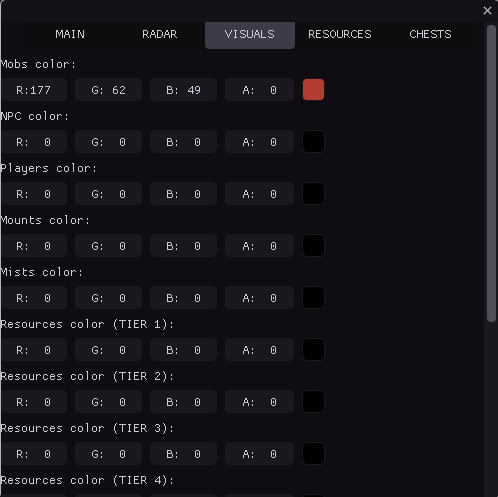
After the game has fully loaded to the main menu, press the “F1” key to call the cheat menu.
* Radar information display symbols:
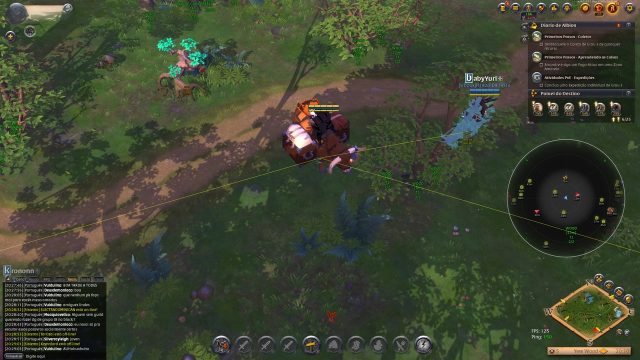
Triangle / Displays loot;
Rhombus / Mounts;
Circle / NPC, Mobs, Players (it is possible to set the color in the menu to display certain classes)
How to save settings
-
After launching the cheat and its settings, click the button to copy the settings to the clipboard in the corresponding section of the cheat, as shown in the screenshot: Link, then minimize the game, create an empty “notepad” file in any convenient place on your desktop or local disk, then open it and click in the opened notepad with the “right mouse button” and select “paste”, you will have random symbols and letters, close the text file with saving the changes;
-
Return to the game, play;
-
On subsequent launches, launch the cheat and the game in accordance with its instructions, then minimize the game, open the previously created text file, press the “CTRL + A” key combination on the English layout, then click on the selected text, right mouse button and select “copy”;
-
Return to the game, go to the cheat tab “CONFIGURATION” and click on “Load config from clipboard”, this will load your previously saved settings.
If the cheat doesn't work
Visit our special page, where we have collected all known errors in the work of the loader, cheat and ways to solve them: Link
What to do if the software does not work?:
To ensure the software works correctly, follow these steps:
1. Using DControl, disable Windows Defender + completely remove all other antiviruses. Necessarily!!!
2. Disable UAC. Necessarily!!!
3. Disable all items in the Exploit Protection tab [DEP, ASLR, CFG, etc.] In rare cases, for some cheats.
4. Disable Smart Screen. Necessarily!!!
5. Disable Firewall. Necessarily!!!
6. Install DirectX and Microsoft Visual C++
Microsoft Visual C++
DirectX
7. Disable kernel isolation. Necessarily!!!
8. Remove Faceit and Valorant [Vanguard] anti-cheat. [Do not remove Vanguard if the cheat is intended for the game Valorant]. Necessarily!!!
9. Faceit - [Open a command prompt as administrator and type [sc stop faceit] ]. Necessarily!!!
Vanguard - [Open a command prompt as administrator and type [sc delete vgc] + [sc delete vgk] ]. Necessarily!!!
11. Restart your computer. If you have uninstalled your antivirus, Vanguard or Faceit. Necessarily!!!
Similar products
PRIVATE Radar+FarmBot
- 15 д
- 30 д
Write a review