Mason INTERNAL
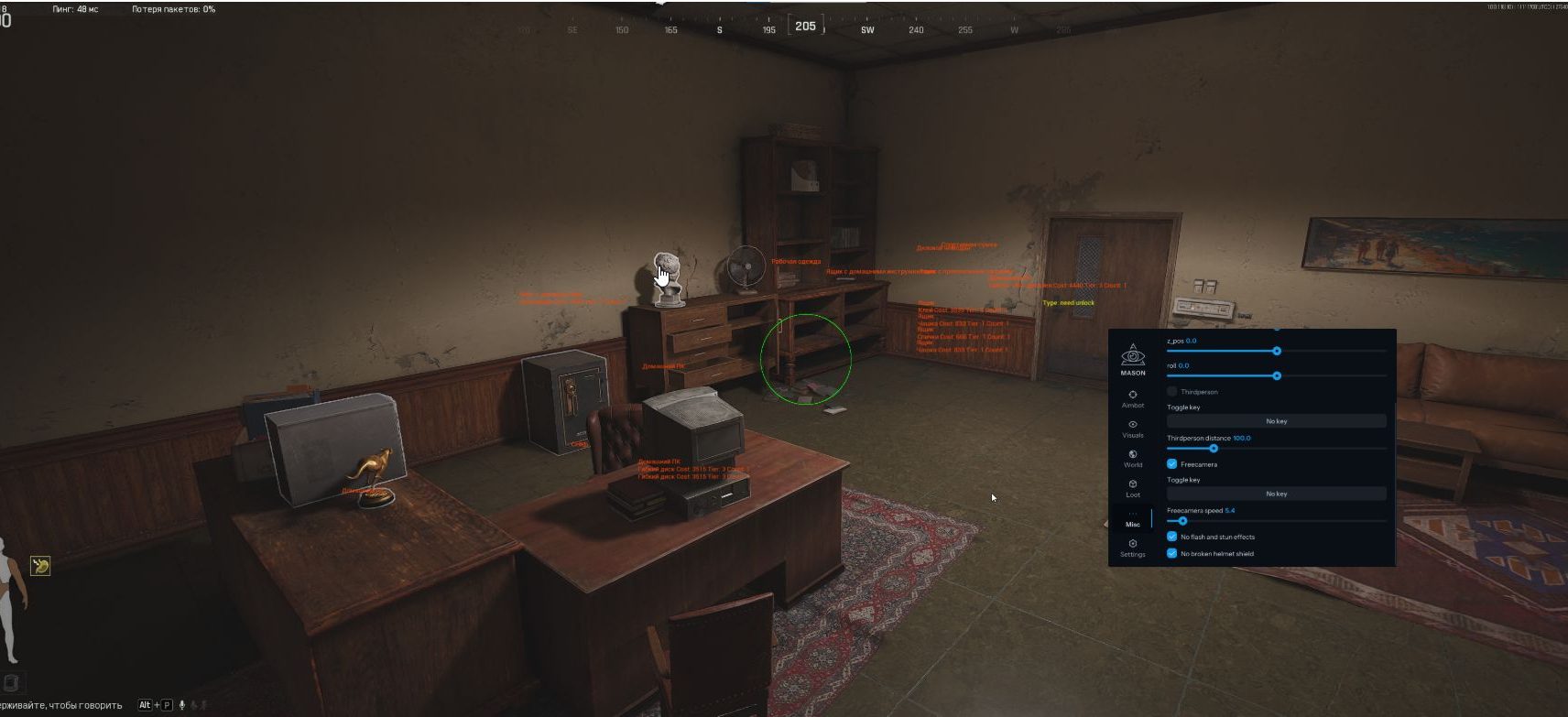
Mason INTERNAL is an elite internal solution for Arena Breakout operating at the game client level. The cheat provides advanced ESP highlighting enemies, loot and extraction points through any obstacles, smart aimbot with movement prediction system and complete protection from detection systems. Deep Integration technology ensures undetectability and stable performance even after game updates.
How to install
Be sure to put the loader on the USB flash drive. After injecting the cheat and before entering the game, you need to remove the USB flash drive from the computer. Also, do not store the loader on your PC, be sure to delete it if you have it on your PC.
Launch the game and set the window mode to "Fullscreen Windowed" in the game settings, then close the game.
-
Download the loader from the link: LINK using the key you received after payment.
-
Run the downloaded file as administrator. In the loader window that opens, select your game, click it, and then click "Run."
-
Wait for the loader to close. If the injection is successful, the loader will display a check mark and close. After this, you MUST IMMEDIATELY launch the game.
-
After the game has fully loaded to the main menu, press the "INSERT" key to open the cheat menu.
The cheat doesn't work
Visit our special page, where we have collected all known errors in the work of the loader, cheat and ways to solve them: LINK
1. Using DControl, disable Windows Defender + completely remove all other antiviruses. Necessarily!!!
2. Disable UAC. Necessarily!!!
3. Disable all items in the Exploit Protection tab [DEP, ASLR, CFG, etc.] In rare cases, for some cheats.
4. Disable Smart Screen. Necessarily!!!
5. Disable Firewall. Necessarily!!!
6. Install DirectX and Microsoft Visual C++
Microsoft Visual C++
DirectX
7. Disable kernel isolation. Necessarily!!!
8. Remove Faceit and Valorant [Vanguard] anti-cheat. [Do not remove Vanguard if the cheat is intended for the game Valorant]. Necessarily!!!
9. Faceit - [Open a command prompt as administrator and type [sc stop faceit] ]. Necessarily!!!
Vanguard - [Open a command prompt as administrator and type [sc delete vgc] + [sc delete vgk] ]. Necessarily!!!
11. Restart your computer. If you have uninstalled your antivirus, Vanguard or Faceit. Necessarily!!!
Similar products
Tundra Radar
- 1 д
- 3 д
- 7 д
- 30 д
Nightvex radar
- 1 д
- 7 д
- 30 д

Nightvex
- 1 д
- 7 д
- 30 д
Suit Radar
- 1 д
- 3 д
- 7 д
- 15 д
Write a review