HWID Spoofer (ABI)
What you get
- Смена аппаратных идентификаторов компьютера
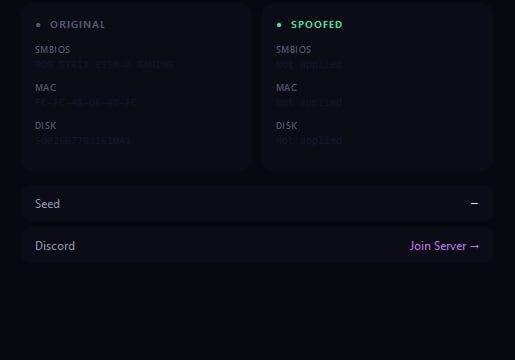
- Подмена серийных номеров накопителей и идентификатора материнской платы
- Новые MAC адреса сетевых адаптеров
- Правка UUID из SMBIOS и данных видеокарты
- Обход блокировки по железу в Arena Breakout: Infinite
- Очистка следов, оставшихся в системе после бана
- Удаление локальных файлов клиента с привязкой к прошлому HWID
- Работа до запуска игрового клиента, из под администратора
- Не снимает блокировку с аккаунта: забаненная учётка остаётся забаненной
- Никаких игровых функций, в процесс игры не вмешивается
HWID Spoofer (ABI) — a technical solution for hardware analysis in ARENA BREAKOUT
This tool is intended for advanced users whose computer has been subjected to a hardware lock (HWID ban). from the anti-cheat side of the ARENA BREAKOUT game. When the lock affects not only the account, but also the hardware, making it impossible to log in to the game from any new profile, this program allows you to change the digital fingerprint of your system.
The software works at a low level, modifying key component identifiers (disk, motherboard, adapters), which are read by the game’s security. To achieve the result, you need to perform a full cycle: run the utility as an administrator, follow the instructions for cleaning traces, and reboot the system. The process may temporarily affect the operation of network adapters and virtual devices.
How to install
How to run HWID Spoofer
The loader must be launched and the HWID Spoofer must be injected from a USB flash drive. Once the injection is complete, the USB flash drive MUST be removed. ALWAYS DELETE THE LOADER FILE FROM YOUR PC. IT MUST BE ON THE USB FLASH DRIVE ONLY.
-
Download the loader from the link: Link, using the key you received after payment.
-
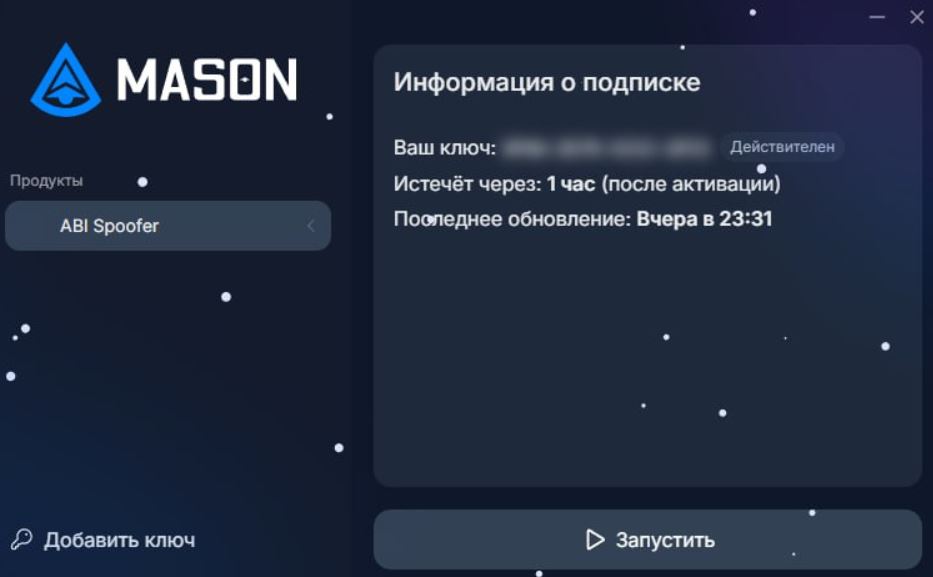
Run the downloaded file as administrator. In the loader window that opens, select your game, click it, and then click "Run."
-
Wait for the loader to close. If the injection is successful, the loader will display a check mark and close. After this, you MUST IMMEDIATELY launch the game.
The HWID Spoofer doesn't work
Visit our special page, where we have collected all known errors in the work of the loader, cheat and ways to solve them: Link
What to do if the software does not work?:
To ensure the software works correctly, follow these steps:
1. Using DControl, disable Windows Defender + completely remove all other antiviruses. Necessarily!!!
2. Disable UAC. Necessarily!!!
3. Disable all items in the Exploit Protection tab [DEP, ASLR, CFG, etc.] In rare cases, for some cheats.
4. Disable Smart Screen. Necessarily!!!
5. Disable Firewall. Necessarily!!!
6. Install DirectX and Microsoft Visual C++
Microsoft Visual C++
DirectX
7. Disable kernel isolation. Necessarily!!!
8. Remove Faceit and Valorant [Vanguard] anti-cheat. [Do not remove Vanguard if the cheat is intended for the game Valorant]. Necessarily!!!
9. Faceit - [Open a command prompt as administrator and type [sc stop faceit] ]. Necessarily!!!
Vanguard - [Open a command prompt as administrator and type [sc delete vgc] + [sc delete vgk] ]. Necessarily!!!
11. Restart your computer. If you have uninstalled your antivirus, Vanguard or Faceit. Necessarily!!!



Write a review