GHOST
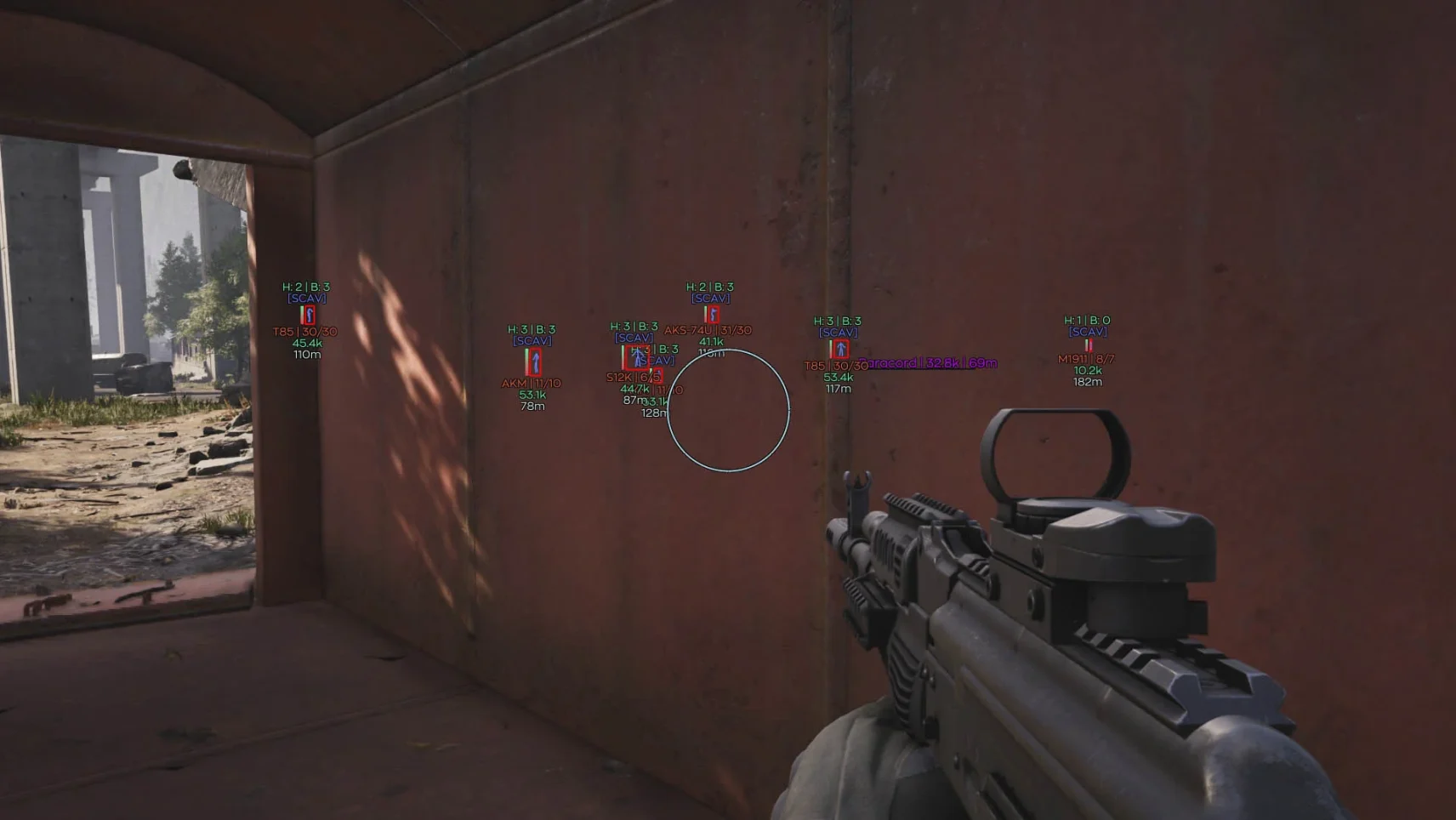
GHOST is your shadow in Arena Breakout
This tool rethinks tactical advantage by working through an external data analysis system. See the enemies through the walls, kill with silent aim, find loot with ease!
How to install
📋 System Preparation & Launch Guide
‼️ Important: Please read this guide thoroughly before proceeding.
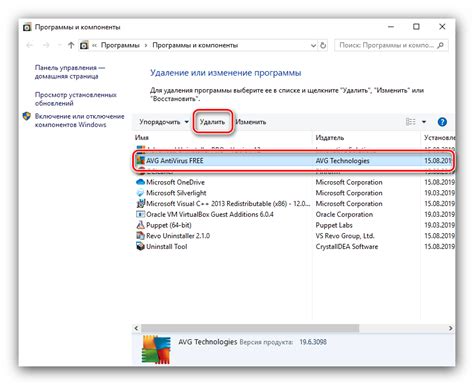
🛡️ 1. Remove Your Antivirus
Uninstall any third-party antivirus software using Windows' built-in tools or specialized removal utilities.
⚙️ 2. Disable Real-Time Protection
Navigate to:
Settings → Update & Security → Windows Security → Virus & Threat Protection → Manage Settings → Turn off Real-time Protection
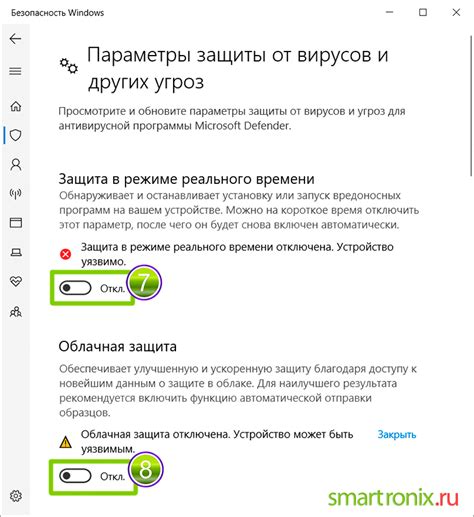
🔵 It's recommended to disable this manually through system settings.
🖥️ 3. Remove Virtual Machines and Sandboxes (If Necessary)
If you encounter issues, uninstall the following programs:
-
Sandboxie
-
Oracle VirtualBox
-
VMware Workstation Pro
-
Microsoft Hyper-V
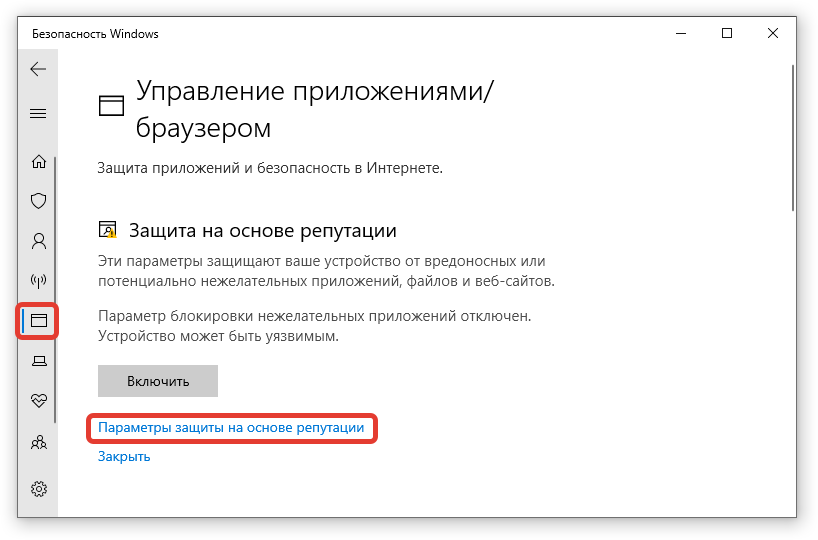
🚫 4. Disable Reputation-Based Protection Settings
Go to:
Settings → Update & Security → Windows Security → App & Browser Control → Reputation-Based Protection Settings → Turn off all options
🚀 Next Steps
This guide applies to all our products except Valorant.
🛒 5. After Purchase
You will receive an activation key and this instruction guide.
🔗 6. Access the Loader
Visit:Link
Enter your activation key and click Activate NOW.
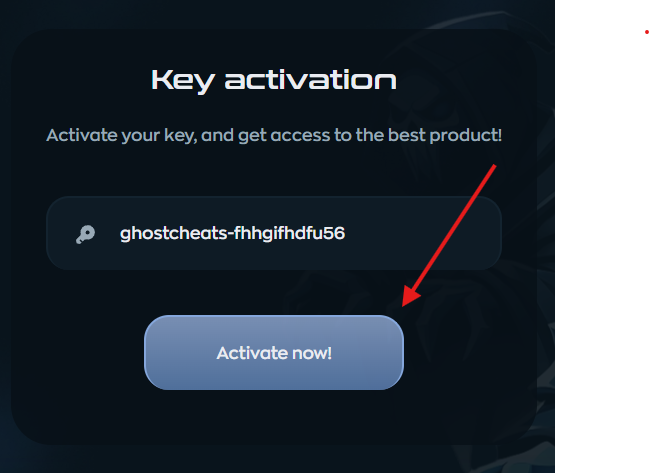
📥 7. Download the Loader
After activation, the loader will begin downloading.
If your browser blocks the download, disable its protection or use a different browser.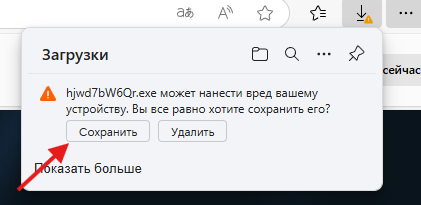
🔑 8. Activate in the Loader
Open the downloaded loader.
Enter your activation key and click Activate.
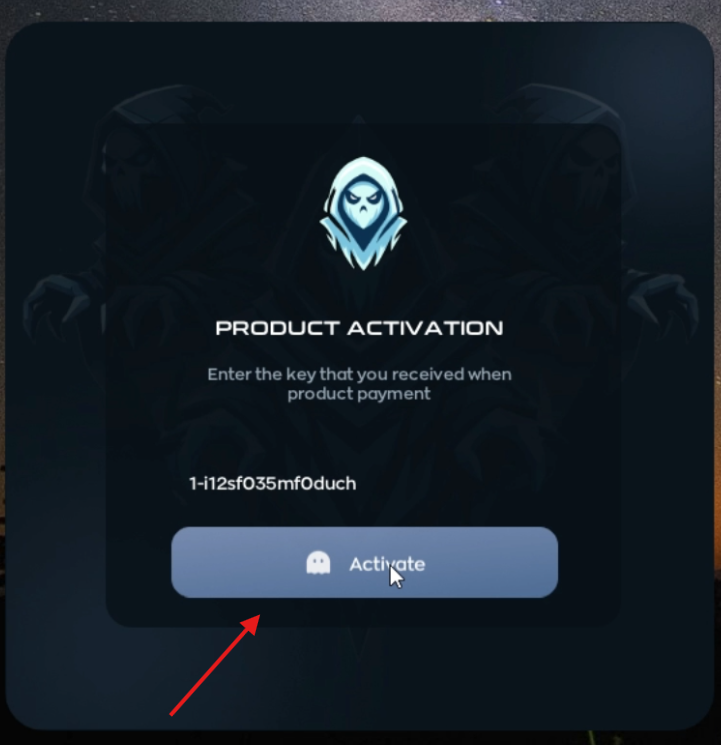
🖥️ 9. Launch the Cheat
A small black CMD window will appear, prompting you to launch the game.
Open the game — the cheat will inject automatically.
🔥 Important: During injection, avoid using the keyboard or mouse. Simply wait.
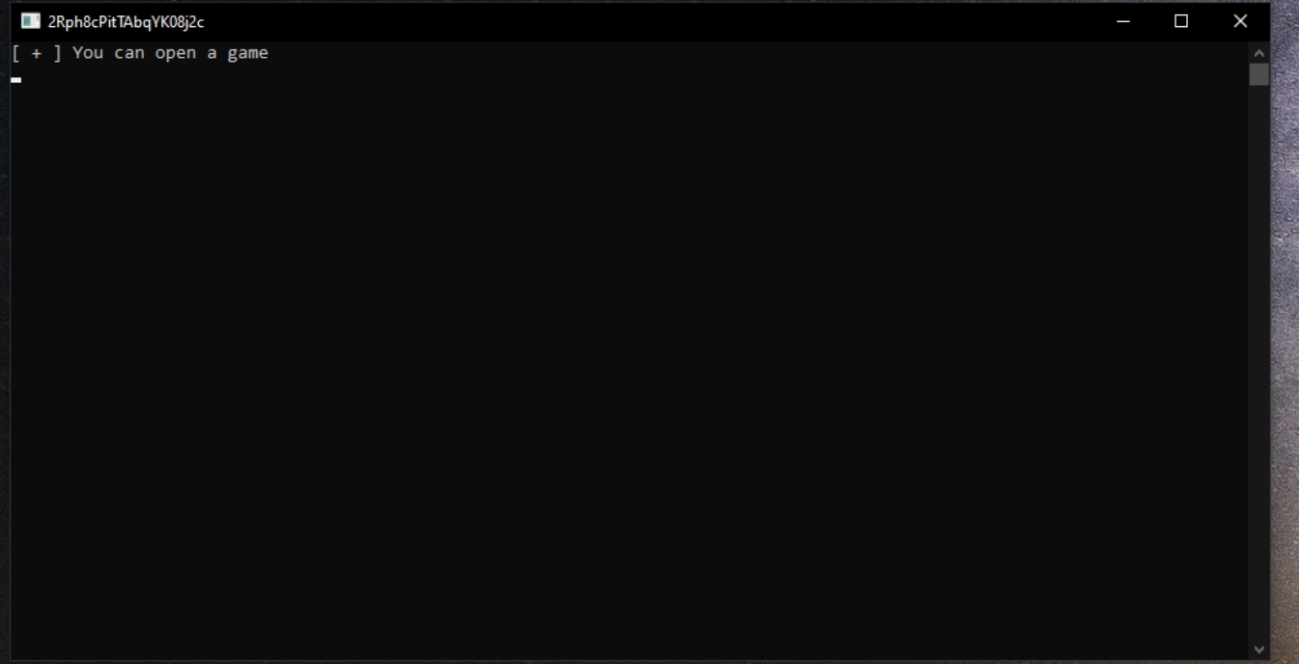
🕹️ 10. Access the Cheat Menu
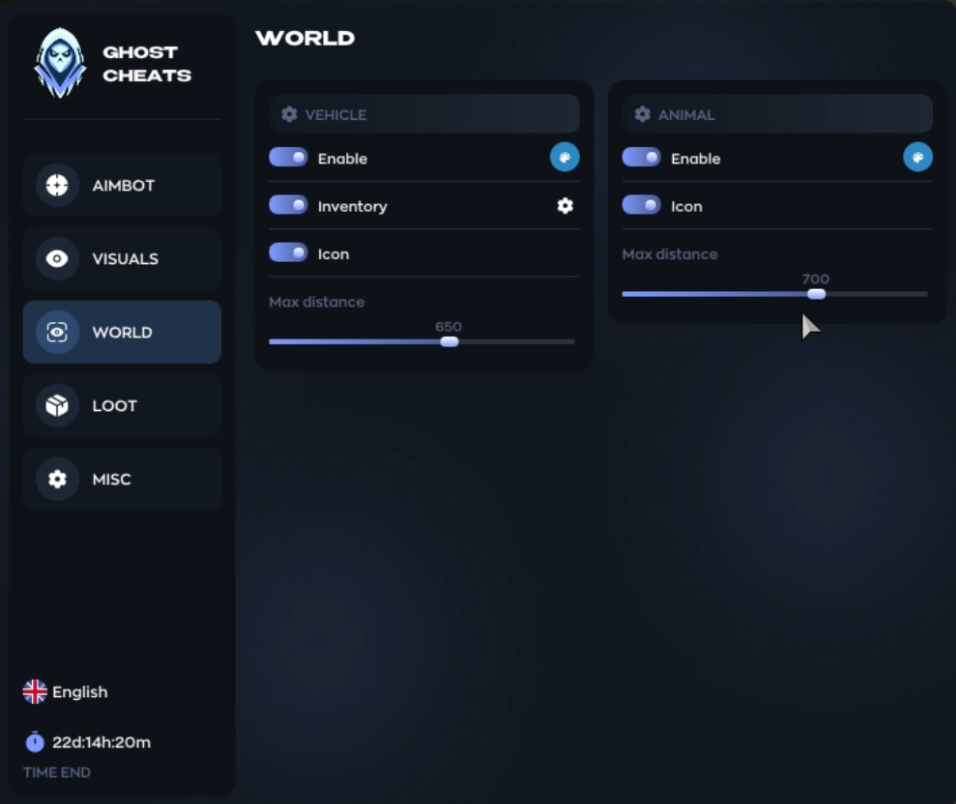
The cheat menu will appear after injection.
Standard keys to toggle the menu:
-
INSERT
-
(In some games, it might be HOME or END)
🛠️ If You Encounter Errors:
-
Carefully re-read this instruction guide.
-
Then, contact the store's support team.
🛠 How to Fix the Black Screen on Launch
If you encounter a black screen when launching the product, follow these steps:
-
Open Windows Settings (Win + I).
-
Go to System → Display.
-
Scroll down and click on Graphics settings.
-
Find the option Optimizations for windowed games.
-
Turn this feature off.
✅ After that, the black screen issue should be resolved.
-
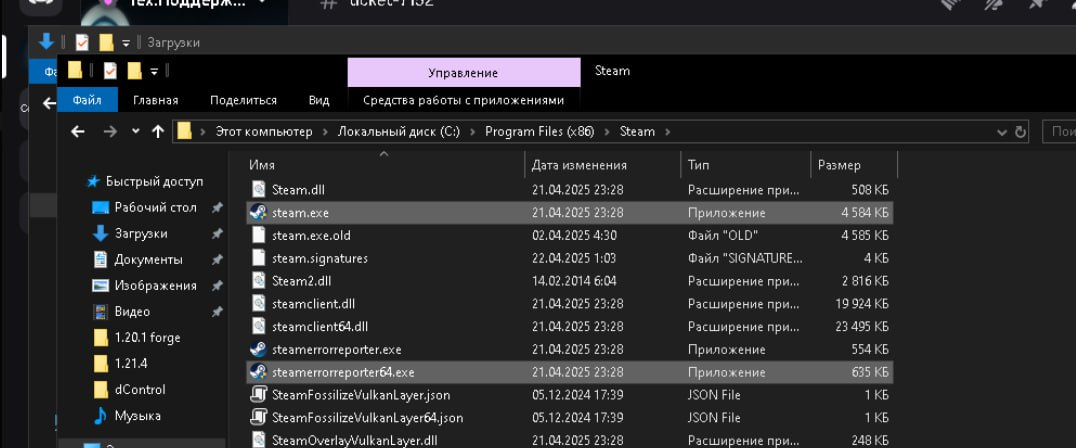
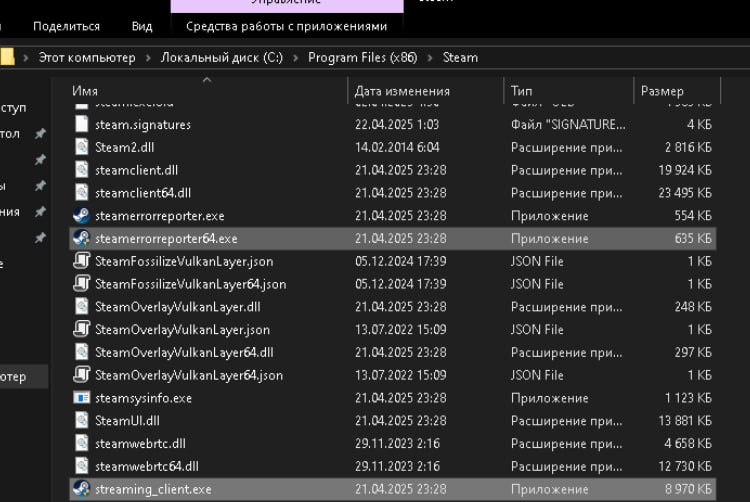
🛠 How to fix the error in Delta Force: Dual Process detected ?
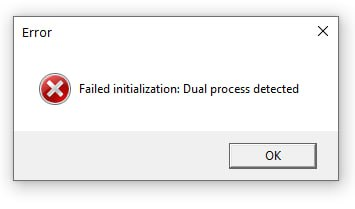
Run the following files as an administrator: -
-
🛠 How to fix FPS drops in the game? -
1) ALT+Z
-
2) Statistics
-
3) Disable statistics display
-
Disable all possible overlays: Discord / Steam / MSI, etc
Similar products
Tundra Radar
- 1 д
- 3 д
- 7 д
- 30 д
Nightvex radar
- 1 д
- 7 д
- 30 д
Nightvex
- 1 д
- 7 д
- 30 д
Suit Radar
- 1 д
- 3 д
- 7 д
- 15 д
Write a review