Battlefield 1
What you get
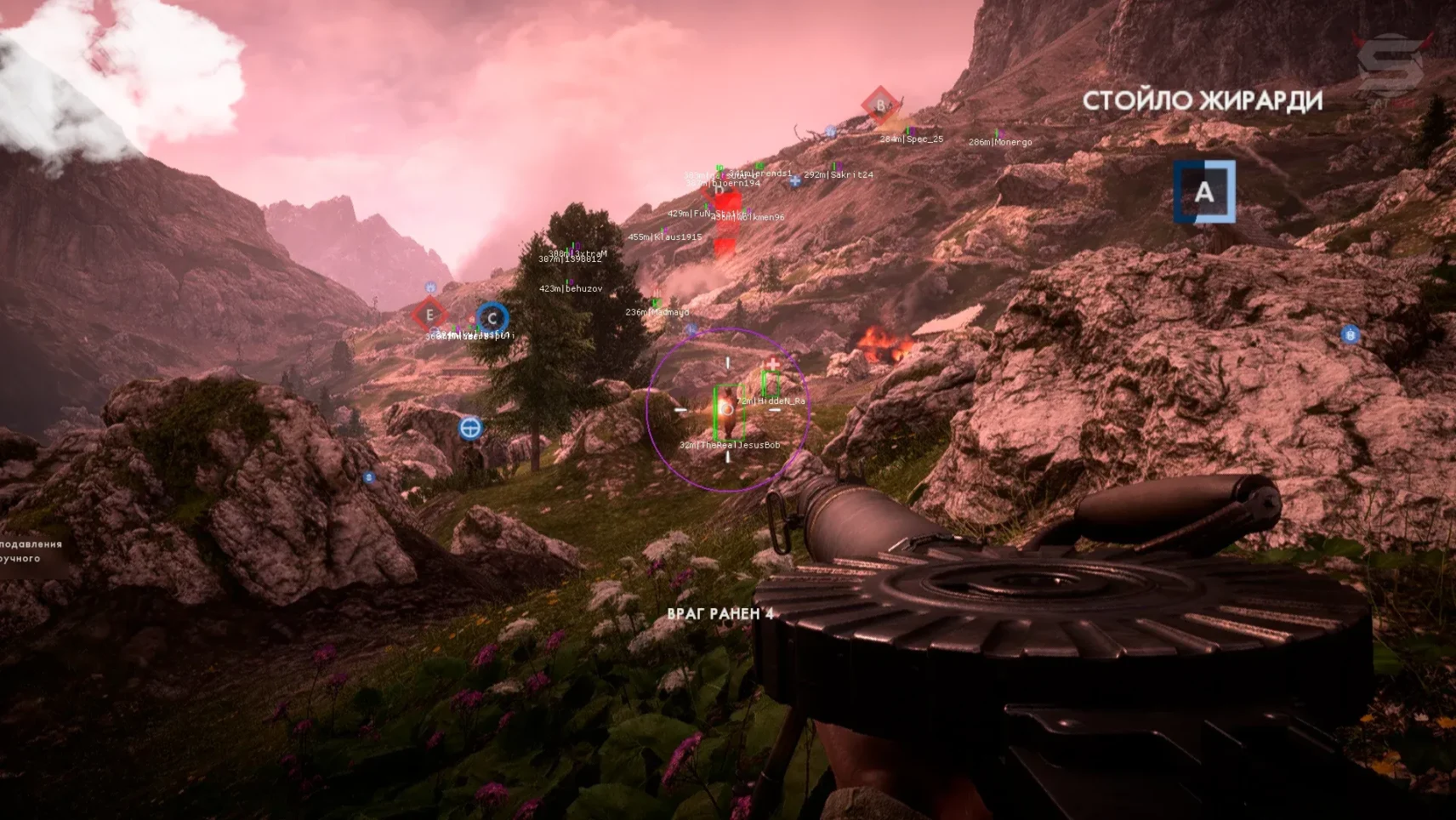
- Aimbot ballistic: поправка на снижение пули и время полёта
- FOV: круг захвата цели, ширина задаётся вручную
- Smooth: плавность подхода прицела к расчётной точке
- Recoil percent: гашение отдачи ползунком, а не переключателем
- Box ESP: коробка на пехоте противника
- Distance: дистанция в метрах под коробкой
- Health Bar: текущее здоровье цели
- Name: ник игрока над моделью
- Line: снаплайны от края экрана, отключаемые
- Team Check: разметка только на врагах
MASON for Battlefield 1 – your ultimate tactical advantage in virtual warfare, delivering a comprehensive solution for competitive dominance. This cutting-edge tool combines advanced wallhack ESP, smart adaptive aimbot with weapon-specific configurations, and precision recoil control to ensure unmatched battlefield performance. Featuring multi-layered protection including HWID spoofing and daily signature updates, MASON provides complete security against FairFight and PunkBuster detection systems. The intuitive Russian-language interface offers effortless customization to match your unique playstyle, while 24/7 technical support and detection warranty make MASON the perfect choice for Battlefield 1 players seeking uncompromised performance without account risks.
How to install
- Download the loader from the link: link, using your key that you received after payment;
- Run the downloaded file as administrator, in the loader window that opens, select your game, click on it, then click the “Run” button;
- Wait for the loader to close, if the injection is successful, the loader will display a message with a “check mark” and close, then an additional window will appear with the text “Please, start Off The Grid or Marvel Rivals”, click the “OK” button and start the game;
- After the game has fully loaded to the main menu, press the “INSERT” key to call the cheat menu.
If the cheat doesn't work
- Visit our special page, where we have collected all known errors in the work of the loader, cheat and ways to solve them: link;
To ensure the software works correctly, follow these steps:
1. Using DControl, disable Windows Defender + completely remove all other antiviruses. Necessarily!!!
2. Disable UAC. Necessarily!!!
3. Disable all items in the Exploit Protection tab [DEP, ASLR, CFG, etc.] In rare cases, for some cheats.
4. Disable Smart Screen. Necessarily!!!
5. Disable Firewall. Necessarily!!!
6. Install DirectX and Microsoft Visual C++
Microsoft Visual C++
DirectX
7. Disable kernel isolation. Necessarily!!!
8. Remove Faceit and Valorant [Vanguard] anti-cheat. [Do not remove Vanguard if the cheat is intended for the game Valorant]. Necessarily!!!
9. Faceit - [Open a command prompt as administrator and type [sc stop faceit] ]. Necessarily!!!
Vanguard - [Open a command prompt as administrator and type [sc delete vgc] + [sc delete vgk] ]. Necessarily!!!
11. Restart your computer. If you have uninstalled your antivirus, Vanguard or Faceit. Necessarily!!!
Similar products
MASON Battlefield 2042
- 1 д
- 7 д
- 30 д
Write a review