ARENA BREAKOUT SPOOFER
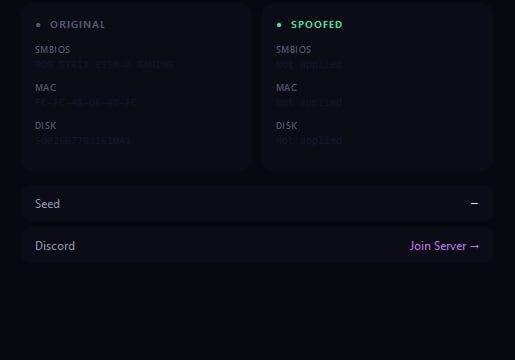
ARENA BREAKOUT SPOOFER is a professional solution for players facing hardware bans in Arena Breakout. Our spoofer completely resets all hardware identifiers (HWID), including GPU, CPU, disk, network data and other system parameters. Hardware Ghost technology creates a completely new digital device fingerprint, guaranteeing 100% return to game even after permanent ban. The process takes less than 5 minutes and requires no technical knowledge.
How to install
Additional Information:
- Works in games: Arena Breakout: Infinite
- Run from flash drive: Yes
- If you use Spoofer and cheat at the same time.. first run the cheat, and then run Spoofer (requires a PC reboot before that)
- The spoofer only needs to be started once before the next PС reboot.
- Spoofer does not remove the ban from your account, it removes the ban from your PC for the duration of Spoofer
- Before using the spoofer on a new account, be sure to create a new user in Windows, change the name of your PC in the system properties .** (provided that it continues to ban)
MANDATORY!!!!
- Before using the spoofer on a new account, be sure to create a new user in Windows, change the name of your PC in the system properties, and also discharge the network in the new user *(provided it continues to ban)
- In rare cases, it is necessary to reinstall Windows *(provided that it continues to ban)
How to do it:
-
Change the PC name.
-
Restart the PC (make sure to restart the computer for the changes to take effect).
-
Create a new user account in Windows and log in with it.
-
In the new user account, perform a network reset:
-
Press Win + I → Network & Internet.
-
Scroll down and select Network reset, then confirm the reset.
-
-
Restart the PC.
-
After that, you can proceed with further actions: register a new game account, launch the software, and use the spoofer.
Please read this entire guide carefully before starting!
🔽 Step 1. Downloading and Preparing the Launcher
- 📥 Download Launcher
- 💾 Place the launcher on a USB flash drive (we strongly recommend running it from the USB drive — this is important for your safety).
🚀 Step 2. Running the Launcher and Registration
- ▶️ Launch the launcher from the USB drive.
- 📝 Register in the launcher.
- 🔑 Activate your key.
🎮 Step 3. Launching the Purchased Project
- ▶️ Launch the launcher from the USB drive.
- 🕹 Select the project (for which you have a purchased key) and click Launch.
- ✅ If the launch is successful, the Launched button will appear and you will see the message Successfully launched (focus on the “Launched” button).
⚠️ Important!
- ❌ If an error occurs — the software will not load!
- ❎ In this case, close the launcher and check the “Common Errors and Solutions” section [read here]. There you can find your specific error and step-by-step solution.
🔒 Step 4. Final Preparation
- ❌ Close the software Launcher
- 🔌 Disconnect the USB flash drive and make sure it is removed.
- 🕹 Start the game
🎉 Enjoy the game!
Write a review