AimBot
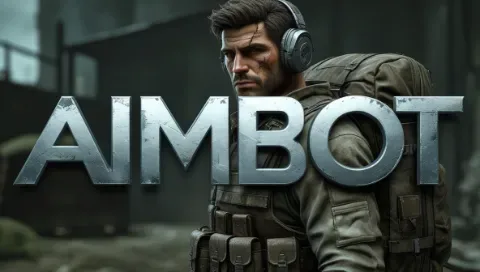
AimBot redefines the standards of accuracy in Arena Breakout: its neural network algorithm analyzes the movement of targets, predicts the trajectory of a bullet and automatically targets the head or limbs (depending on the opponent’s armor), and integrated protection disguises traffic as legitimate data, bypassing anti–cheats at the driver level – you are guaranteed to win duels in the “Abandoned City” or “Northern Porto”, evacuate with valuable loot and progress without the threat of a ban, even in the top ranks.
How to install
-
Launch the game and in the game settings, set the display mode to "Fullscreen in Window", then close the game.
-
Download the loader from the link:
Link
Use the key you received after payment. -
Run the downloaded file as Administrator. In the loader window that opens, select your game from the list, click on it, and then press the "Launch" button.
-
Wait for the loader to close. If the injection is successful, the loader will display a checkmark (✓) and close. An additional window will then appear requesting a computer reboot. Click "Yes", then restart your computer.
-
After reboot, run the loader as Administrator again. Select your game from the list on the left and press the "Launch" button. Wait for the loader to close automatically. Upon successful injection, the loader will show a checkmark (✓) and close. Another window will appear with the message:
"Please, launch ABI"
Click "Ok", and then immediately launch the game manually. -
Once the game fully loads to the main menu, you can join a match.
Control keys for features:-
Aimbot is activated by holding the right mouse button.
-
F1 / Increase FOV
-
F2 / Decrease FOV
-
F3 / Increase smoothness
-
F4 / Decrease smoothness
-
F5 / Reset all settings
-
Note: Ensure the game is set to "Fullscreen in Window" mode before proceeding. Always run the loader as Administrator.
If the cheat doesn't work
Visit our special page, where we have collected all known errors in the work of the loader, cheat and ways to solve them: Link.
What to do if the software does not work?:
To ensure the software works correctly, follow these steps:
1. Using DControl, disable Windows Defender + completely remove all other antiviruses. Necessarily!!!
2. Disable UAC. Necessarily!!!
3. Disable all items in the Exploit Protection tab [DEP, ASLR, CFG, etc.] In rare cases, for some cheats.
4. Disable Smart Screen. Necessarily!!!
5. Disable Firewall. Necessarily!!!
6. Install DirectX and Microsoft Visual C++
Microsoft Visual C++
DirectX
7. Disable kernel isolation. Necessarily!!!
8. Remove Faceit and Valorant [Vanguard] anti-cheat. [Do not remove Vanguard if the cheat is intended for the game Valorant]. Necessarily!!!
9. Faceit - [Open a command prompt as administrator and type [sc stop faceit] ]. Necessarily!!!
Vanguard - [Open a command prompt as administrator and type [sc delete vgc] + [sc delete vgk] ]. Necessarily!!!
11. Restart your computer. If you have uninstalled your antivirus, Vanguard or Faceit. Necessarily!!!
Similar products
Tundra Radar
- 1 д
- 3 д
- 7 д
- 30 д
Nightvex radar
- 1 д
- 7 д
- 30 д
Nightvex
- 1 д
- 7 д
- 30 д
Suit Radar
- 1 д
- 3 д
- 7 д
- 15 д
Write a review